Notion AI Review 2025: The Ultimate Guide to AI-Powered Productivity
In this detailed Notion AI Review 2025, we’ll explore how this all-in-one AI workspace is transforming productivity, collaboration, and content creation. The landscape of artificial intelligence productivity tools has transformed dramatically, and Notion AI stands as one of the most compelling AI writing assistants reshaping how we work, create, and collaborate. As we navigate through 2025, the integration of AI into workspace management has become less of a luxury and more of a necessity for professionals seeking to maximize their efficiency and output.
Notion AI represents a significant evolution from traditional note-taking applications, emerging as a comprehensive AI-powered workspace that combines the flexibility of Notion’s all-in-one platform with sophisticated artificial intelligence capabilities. This transformation has positioned Notion AI among the best AI tools for 2025, offering users an intelligent companion that can generate content, analyze data, automate workflows, and enhance decision-making processes.
The current AI productivity landscape is dominated by specialized tools, each excelling in specific areas. However, Notion AI takes a different approach by embedding artificial intelligence directly into an existing workspace ecosystem that millions of users already trust. This integration creates a seamless experience where AI assistance feels natural rather than intrusive, making it an attractive option for teams and individuals looking to enhance their productivity without disrupting their established workflows.
What sets Notion AI apart in the crowded field of AI productivity tools is its contextual understanding of your workspace. Unlike standalone AI writing assistants that operate in isolation, Notion AI has access to your databases, documents, and project information, enabling it to provide more relevant and personalized assistance. This contextual awareness transforms simple AI interactions into intelligent collaborations that understand your specific needs and work patterns. As we dive deeper into this Notion AI Review 2025, it becomes clear that the platform’s contextual awareness is what sets it apart
Comprehensive Feature Analysis
Core AI Capabilities
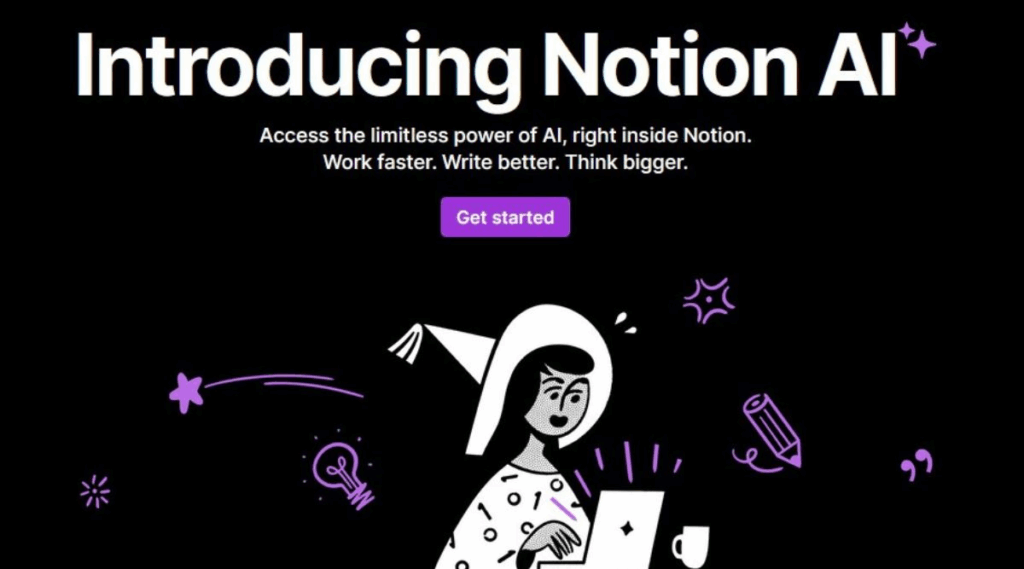
Notion AI’s feature set has expanded significantly since its initial launch, now encompassing a wide range of AI-powered functionalities that address various productivity needs. The platform’s AI writing assistant capabilities include content generation, editing, summarization, and translation services that integrate seamlessly with Notion’s existing page structure.
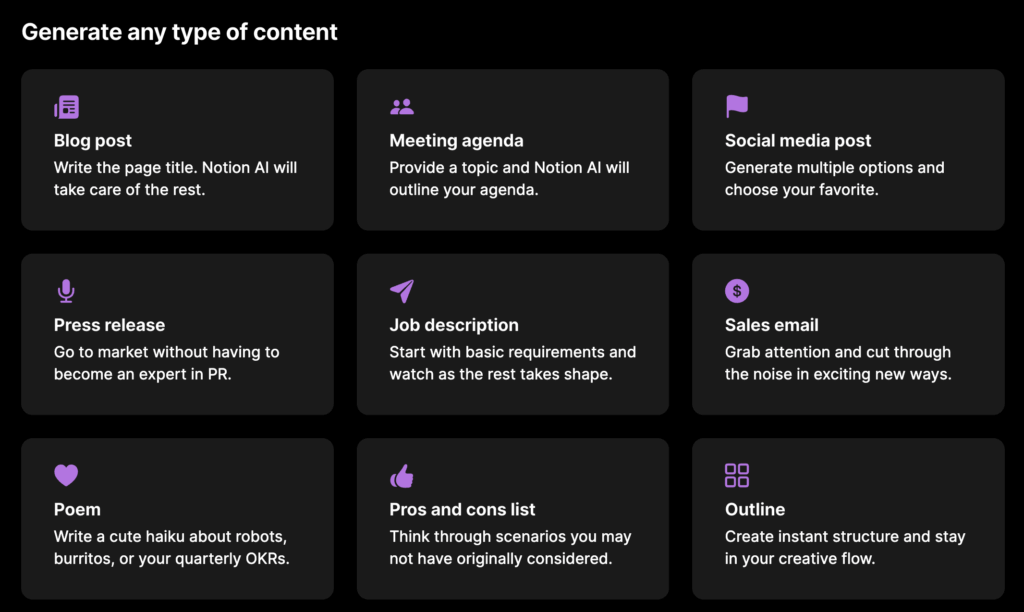
The content generation features allow users to create blog posts, meeting notes, project plans, and creative content directly within their Notion workspace. The AI understands context from existing pages and databases, enabling it to generate relevant content that aligns with your specific projects and goals. This contextual generation capability distinguishes Notion AI from generic AI writing tools by providing more targeted and useful outputs.
Notion AI’s editing and refinement tools offer sophisticated text improvement capabilities, including grammar correction, tone adjustment, and style optimization. These features work particularly well for professional documentation, where consistency and clarity are paramount. The AI can adapt its editing suggestions based on the document type and intended audience, making it versatile for various professional contexts.
The summarization feature has proven invaluable for processing large amounts of information quickly. Users can summarize meeting notes, research documents, and project updates with a single command, extracting key insights and action items automatically. This capability significantly reduces the time spent on information processing and helps maintain focus on high-priority tasks.
Database and Automation Integration
One of Notion AI’s most powerful features is its deep integration with Notion’s database system. The AI can analyze data patterns, generate insights, and even populate database entries based on existing information. This integration creates opportunities for automated workflow management that extends beyond simple text generation.
The AI can automatically tag and categorize content within databases, making information organization more efficient and consistent. For project management applications, this means tasks can be automatically prioritized, deadlines can be suggested based on project patterns, and resource allocation can be optimized through AI analysis.
Formula generation and database query assistance represent another significant advantage of Notion AI. Users can describe their data analysis needs in natural language, and the AI will generate appropriate formulas or database views to extract the desired information. This feature democratizes data analysis within teams, allowing non-technical users to perform complex data operations without extensive training.
Collaboration and Team Features
Notion AI enhances team collaboration through intelligent content suggestions and automated meeting facilitation. The AI can generate meeting agendas based on project status, create follow-up action items, and even suggest optimal meeting times based on team availability patterns stored in Notion databases.
The collaborative editing features include real-time AI suggestions that appear as team members work on shared documents. This creates a dynamic editing environment where AI assistance feels like having an additional team member contributing ideas and improvements. The AI’s suggestions are contextually aware of the document’s purpose and the team’s working style, making recommendations more relevant and useful.
Version control and change tracking receive AI enhancement through intelligent summarization of document changes and automated conflict resolution suggestions. When multiple team members edit the same document, Notion AI can identify potential conflicts and suggest resolution strategies, streamlining the collaborative editing process.
Performance and Usability Assessment
Speed and Responsiveness
Notion AI’s performance has improved significantly throughout 2024 and into 2025, with response times now competitive with dedicated AI writing assistants. The integration with Notion’s existing infrastructure means that AI features load quickly and respond without noticeable delays, even when working with large databases or complex page structures.
The AI’s ability to process context from multiple sources simultaneously contributes to its effectiveness but could potentially impact performance. However, optimization efforts have ensured that even when analyzing extensive workspace data, the AI maintains responsive interaction times that don’t interrupt workflow momentum.
Mobile performance deserves special attention, as Notion AI functionality extends to mobile devices through Notion’s mobile applications. The AI features work effectively on smartphones and tablets, though the interface is naturally optimized for desktop use. Mobile AI interactions focus on essential features like content generation and editing, ensuring users can access AI assistance regardless of their device.
User Interface and Experience
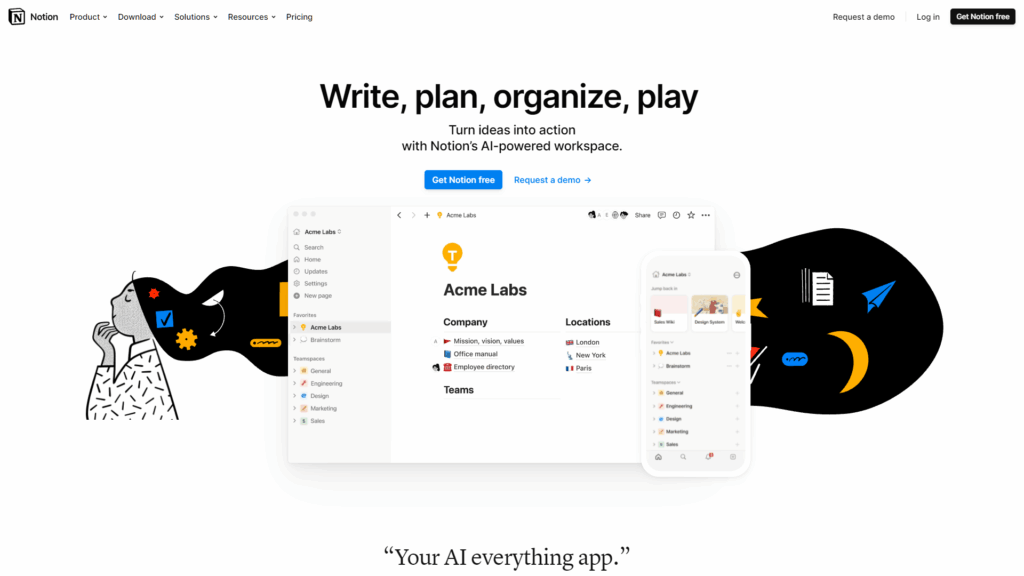
The user interface for Notion AI integrates seamlessly with Notion’s existing design language, creating a cohesive experience that feels natural to existing users. AI features are accessible through intuitive slash commands, contextual menus, and dedicated AI blocks that can be embedded within pages.
The learning curve for Notion AI is relatively gentle for existing Notion users, as the AI features build upon familiar interface patterns. New users may need time to understand both Notion’s workspace concepts and the AI capabilities, but the integrated approach means learning both simultaneously rather than managing separate tools.
Customization options allow users to tailor AI behavior to their specific needs and preferences. These settings include tone adjustments, output length preferences, and integration depth with existing workspace data. The customization features ensure that AI assistance aligns with individual working styles and organizational requirements.
Pricing Structure and Value Analysis
Subscription Tiers and Costs
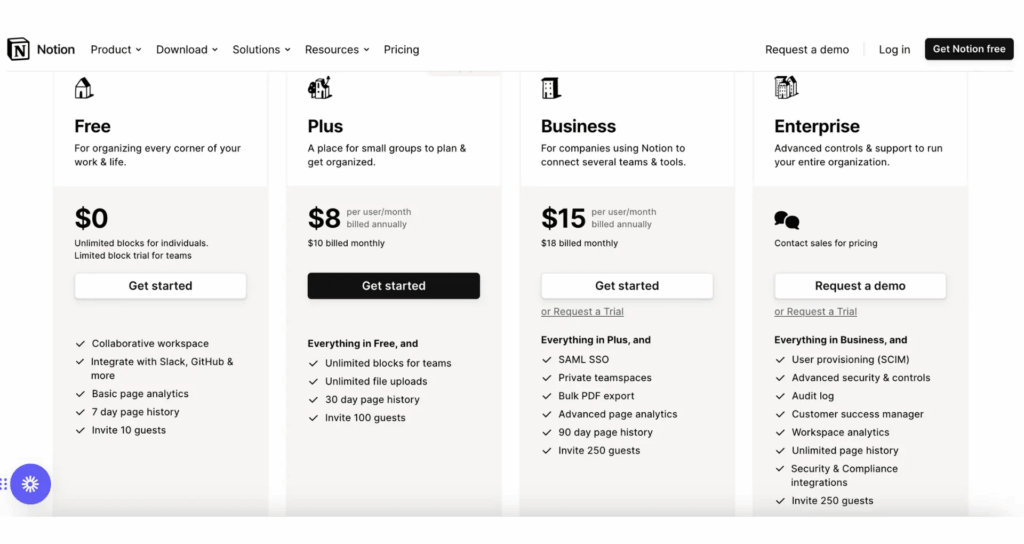
Based on our findings in this Notion AI Review 2025 operates on a separate subscription model from Notion’s base workspace functionality, requiring users to add AI capabilities to their existing Notion plans. The pricing structure reflects the computational costs of AI processing while remaining competitive with other AI productivity tools in the market.
The individual AI add-on pricing provides substantial value for solo entrepreneurs and freelancers who need sophisticated AI assistance integrated with their project management and documentation workflows. The cost per AI interaction has decreased significantly since launch, making regular AI usage more economical for everyday tasks.
Team and enterprise pricing scales appropriately for larger organizations, with volume discounts and administrative features that justify the investment for businesses dependent on efficient knowledge management and content creation. The ROI for teams typically manifests through reduced time spent on routine writing tasks and improved consistency in documentation standards.
Cost-Benefit Analysis
Compared to subscribing to multiple specialized AI tools, Notion AI provides consolidated value by integrating AI assistance directly into an existing workspace platform. This integration eliminates the need for separate AI writing assistants for many users, potentially reducing overall tool costs while improving workflow efficiency.
The time savings from AI-assisted content creation and editing translate directly into productivity gains that can justify the subscription cost. For professionals billing hourly or managing multiple projects, the efficiency improvements often exceed the monthly AI subscription cost within the first few uses.
Educational and non-profit pricing options make Notion AI accessible to students and charitable organizations, expanding its utility beyond commercial applications. These pricing tiers recognize the value of AI-assisted learning and documentation for educational purposes.
Detailed Pros and Cons Analysis
Advantages
Seamless Workspace Integration: Users exploring our Notion AI Review 2025 will find The primary advantage of Notion AI lies in its deep integration with Notion’s existing workspace infrastructure. Users can access AI assistance without leaving their familiar environment, maintaining workflow continuity while benefiting from advanced AI capabilities. This integration extends to databases, templates, and existing content, creating a truly unified workspace experience.
Contextual Intelligence: Unlike standalone AI tools, Notion AI understands the context of your workspace, including project histories, team dynamics, and organizational patterns. This contextual awareness enables more relevant and personalized AI assistance that aligns with specific project requirements and company culture.
Collaborative AI Features: The ability to use AI assistance within shared documents and collaborative spaces creates opportunities for team-wide productivity improvements. AI suggestions can be reviewed and refined by multiple team members, creating a collaborative relationship with artificial intelligence that enhances rather than replaces human creativity.
Comprehensive Feature Set: Notion AI combines writing assistance, data analysis, workflow automation, and content generation in a single platform. This comprehensive approach eliminates the need for multiple specialized tools, simplifying the technology stack while providing diverse AI capabilities.
Customization and Flexibility: The platform allows significant customization of AI behavior, output formats, and integration depth. Users can tailor AI assistance to match their specific needs, working styles, and organizational requirements, ensuring that AI enhancement feels natural and productive.
Disadvantages
Learning Curve Complexity: In writing this Notion AI Review 2025, we compared New users face the challenge of learning both Notion’s workspace concepts and AI capabilities simultaneously. The extensive feature set, while powerful, can overwhelm users who need time to understand optimal usage patterns and customization options.
Subscription Cost Considerations: The additional cost of AI features on top of Notion’s base subscription may strain budgets for individual users or small teams. The pricing structure, while competitive, represents a significant ongoing expense for users who primarily need basic AI assistance.
Dependency on Notion Ecosystem: Users become heavily dependent on Notion’s platform for AI-enhanced productivity. This dependency can create challenges when collaborating with external partners or when considering alternative workspace solutions in the future.
Performance Variability: While generally responsive, AI performance can vary based on workspace complexity and query sophistication. Users with extensive databases or complex organizational structures may experience occasional slower response times during peak usage periods.
Limited Specialized AI Features: Compared to dedicated AI tools for specific tasks like graphic design or advanced data analysis, Notion AI may lack some specialized capabilities that power users in particular fields might require.
Use Cases for Different User Types
Professional Applications
Project Managers: A deeper look at Notion AI Review 2025 reveals excels in project management contexts by generating project plans, tracking progress, and facilitating team communication. AI assistance can create status reports, identify project bottlenecks, and suggest resource allocation improvements based on historical project data stored in Notion databases.
Content Creators: Writers, marketers, and content strategists benefit from AI-assisted content generation, editing, and optimization. The ability to maintain content calendars, generate ideas, and refine messaging while tracking performance metrics creates a comprehensive content management solution.
Consultants and Freelancers: Independent professionals can leverage Notion AI for client documentation, proposal generation, and project tracking. The AI’s ability to adapt to different client requirements and maintain consistent documentation standards proves valuable for maintaining professional relationships and project quality.
Sales and Business Development: Teams can use Notion AI to generate proposals, track client interactions, and analyze sales patterns. The integration with CRM databases enables AI-assisted lead qualification and follow-up automation that enhances sales efficiency.
Educational Use Cases
Students: Notion AI assists with research organization, note-taking, and assignment planning. The AI can help structure research papers, generate study guides, and maintain academic calendars while providing writing assistance that improves academic performance.
Educators: Teachers and professors can use Notion AI to create lesson plans, generate educational content, and track student progress. The AI’s ability to adapt content for different learning levels and generate assessment materials streamlines educational preparation.
Researchers: Academic researchers benefit from AI-assisted literature reviews, data analysis, and publication preparation. The ability to organize research findings, generate citations, and maintain research databases creates a comprehensive research management solution.
Team and Enterprise Applications
Remote Teams: Distributed teams can leverage Notion AI for asynchronous collaboration, meeting facilitation, and knowledge sharing. The AI helps maintain team alignment by generating summaries, tracking decisions, and facilitating information transfer across time zones.
Startups: Early-stage companies can use Notion AI to maintain lean operations while scaling documentation and process development. The AI assists with investor communications, product documentation, and team onboarding as organizations grow.
Enterprise Organizations: Large companies benefit from AI-assisted knowledge management, process documentation, and cross-departmental collaboration. The ability to maintain consistent documentation standards and facilitate information discovery across large teams provides significant organizational value.
Competitive Comparison Analysis
Compared to other tools like ChatGPT or Jasper, this Notion AI Review 2025 reveals how well-integrated AI becomes a game-changer.
| Feature | Notion AI | ChatGPT | Jasper | ClickUp AI | Grammarly AI |
| Workspace Integration | Excellent | Limited | Limited | Excellent | Limited |
| Content Generation | Very Good | Excellent | Excellent | Good | Fair |
| Editing & Grammar | Good | Fair | Good | Fair | Excellent |
| Database Integration | Excellent | None | None | Good | None |
| Collaboration Features | Excellent | Limited | Limited | Very Good | Good |
| Mobile Experience | Good | Excellent | Good | Good | Excellent |
| Pricing Value | Good | Excellent | Fair | Good | Good |
| Learning Curve | Moderate | Easy | Easy | Moderate | Easy |
| Customization | Very Good | Limited | Good | Good | Limited |
| Contextual Awareness | Excellent | Good | Fair | Good | Limited |
ChatGPT Comparison
ChatGPT offers superior conversational AI capabilities and broader knowledge access, making it excellent for general AI assistance and complex reasoning tasks. However, it lacks the workspace integration and contextual awareness that makes Notion AI valuable for ongoing project management and team collaboration.
The conversational interface of ChatGPT provides more natural AI interactions, while Notion AI’s integration approach offers better workflow continuity. Users often find ChatGPT more accessible for quick queries and creative tasks, while Notion AI excels in maintaining long-term project context and team collaboration.
Jasper Comparison
Jasper specializes in marketing content generation and offers superior capabilities for advertising copy, social media content, and marketing campaigns. However, it lacks the database integration and collaborative features that make Notion AI valuable for comprehensive workspace management.
The template library and marketing-focused features of Jasper provide advantages for dedicated content marketing teams, while Notion AI’s broader workspace integration appeals to teams needing diverse AI assistance beyond content creation.
ClickUp AI Comparison
ClickUp AI provides strong project management integration with AI assistance for task management, scheduling, and team coordination. The competition between ClickUp AI and Notion AI often depends on existing platform preferences and specific workflow requirements.
Both platforms offer excellent workspace integration, but ClickUp AI focuses more on project management optimization while Notion AI emphasizes flexible workspace customization and content creation capabilities.
Grammarly AI Comparison
Grammarly AI excels in writing assistance, grammar correction, and style improvement, offering superior capabilities for document editing and writing enhancement. However, it lacks the workspace integration and collaborative features that distinguish Notion AI.
The specialized focus of Grammarly AI provides advantages for users primarily needing writing assistance, while Notion AI’s comprehensive workspace approach appeals to teams requiring diverse AI capabilities within their existing workflow systems.
Frequently Asked Questions
Is Notion AI worth the cost in 2025?
The value of Notion AI depends on your specific use case and existing workflow requirements. For teams already using Notion as their primary workspace, the AI add-on provides significant value by enhancing existing processes without requiring additional tool adoption. The cost becomes justified when AI assistance reduces time spent on routine tasks and improves content quality consistently.
Individual users should evaluate their content creation needs and workspace complexity. If you regularly create documents, manage projects, or collaborate with others using Notion, the AI features can provide substantial productivity improvements that justify the subscription cost. However, users with minimal content creation needs might find better value in occasional use of general AI tools.
How does Notion AI handle data privacy and security?
Notion AI processes workspace data to provide contextual assistance, which raises important privacy considerations. The platform implements encryption for data transmission and storage, with AI processing occurring on secure servers. However, users should review Notion’s privacy policy and consider their organization’s data handling requirements before enabling AI features.
Enterprise users have additional security controls and compliance options that address regulatory requirements. The platform provides administrative tools for managing AI access and data processing permissions, allowing organizations to balance AI benefits with security requirements.
Can Notion AI replace other productivity tools?
Notion AI can reduce dependence on multiple specialized tools by providing integrated AI assistance within a comprehensive workspace platform. However, it may not completely replace highly specialized tools for specific use cases like advanced graphic design, complex data analysis, or specialized writing requirements.
The consolidation benefits are strongest for teams using diverse productivity tools that could be replaced by Notion’s integrated approach. Users should evaluate their specific tool requirements and consider whether Notion AI’s integrated approach provides sufficient capability for their needs.
What are the limitations of Notion AI compared to dedicated AI tools?
Notion AI’s integration focus means it may lack some advanced features available in specialized AI tools. For example, it doesn’t offer the same level of conversational AI capabilities as ChatGPT or the marketing-specific features of Jasper. The platform prioritizes workspace integration over specialized AI capabilities.
Users requiring advanced AI features for specific tasks may need to supplement Notion AI with specialized tools. However, the integrated approach often provides sufficient capability for most business and productivity use cases while maintaining workflow continuity.
How well does Notion AI work for different languages and international teams?
Notion AI supports multiple languages and can assist with translation tasks, making it suitable for international teams. However, the quality and feature availability may vary across languages, with English typically receiving the most comprehensive support.
International teams should test AI capabilities in their preferred languages and consider regional data processing requirements. The platform continues to expand language support and improve localization features based on user feedback and demand.
What training or learning resources are available for Notion AI?
Notion provides comprehensive documentation, tutorials, and community resources for learning AI features. The platform offers webinars, template libraries, and best practice guides that help users maximize AI capabilities within their workflows.
The learning curve is generally manageable for existing Notion users, as AI features build upon familiar interface patterns. New users benefit from structured learning paths that cover both Notion basics and AI capabilities progressively.
Future Outlook and Conclusion
The future of workspace AI is bright, and this Notion AI Review 2025 confirms that Notion is leading the evolution. The trajectory of Notion AI in 2025 indicates continued evolution toward more sophisticated workspace intelligence and enhanced collaborative capabilities. The platform’s development roadmap suggests improvements in AI reasoning, deeper database integration, and expanded automation features that will further distinguish it from general-purpose AI tools.
The integration of advanced AI models and improved contextual understanding will likely enhance Notion AI’s ability to provide relevant, personalized assistance. Future updates may include more sophisticated data analysis capabilities, enhanced creative features, and improved integration with external tools and platforms.
The competitive landscape for AI productivity tools continues to evolve rapidly, with each platform developing unique strengths and approaches. Notion AI’s focus on workspace integration and collaborative intelligence positions it well for teams and organizations prioritizing unified productivity solutions over specialized AI tools.
As artificial intelligence becomes increasingly integrated into productivity workflows, tools like Notion AI that provide seamless, contextual assistance within existing work environments will likely gain advantage over standalone AI applications. The future success of Notion AI depends on its ability to maintain this integration advantage while expanding AI capabilities to meet diverse user needs.
The decision to adopt Notion AI should consider long-term productivity goals, team collaboration requirements, and the value of integrated versus specialized AI assistance. For teams already invested in Notion’s ecosystem, the AI features provide natural enhancement opportunities that can significantly improve productivity and collaboration effectiveness.
The evolution of AI productivity tools suggests that integrated approaches like Notion AI will become increasingly important as users seek to streamline their technology stacks while maximizing AI benefits. The platform’s continued development and user feedback integration indicate strong potential for meeting evolving productivity needs in the AI-enhanced workplace of 2025 and beyond.
Notion AI represents a significant step forward in AI-powered productivity tools, offering a compelling combination of workspace integration, collaborative intelligence, and comprehensive feature sets. While it may not replace all specialized AI tools, it provides substantial value for teams and individuals seeking to enhance their productivity within a unified, intelligent workspace environment.