
Lumen5 AI Review 2025: The Ultimate Guide to AI-Powered Video Creation
Video content has become the cornerstone of digital marketing, and in this Lumen5 AI Review 2025, we explore how this powerful platform is transforming content creation. Lumen5 uses artificial intelligence to convert written text into engaging, professional-quality videos within minutes. Whether you’re a marketer, content creator, or small business owner, this AI-powered tool offers a faster, smarter way to create videos for social media, websites, and campaigns.
What is Lumen5 and How Does It Work?
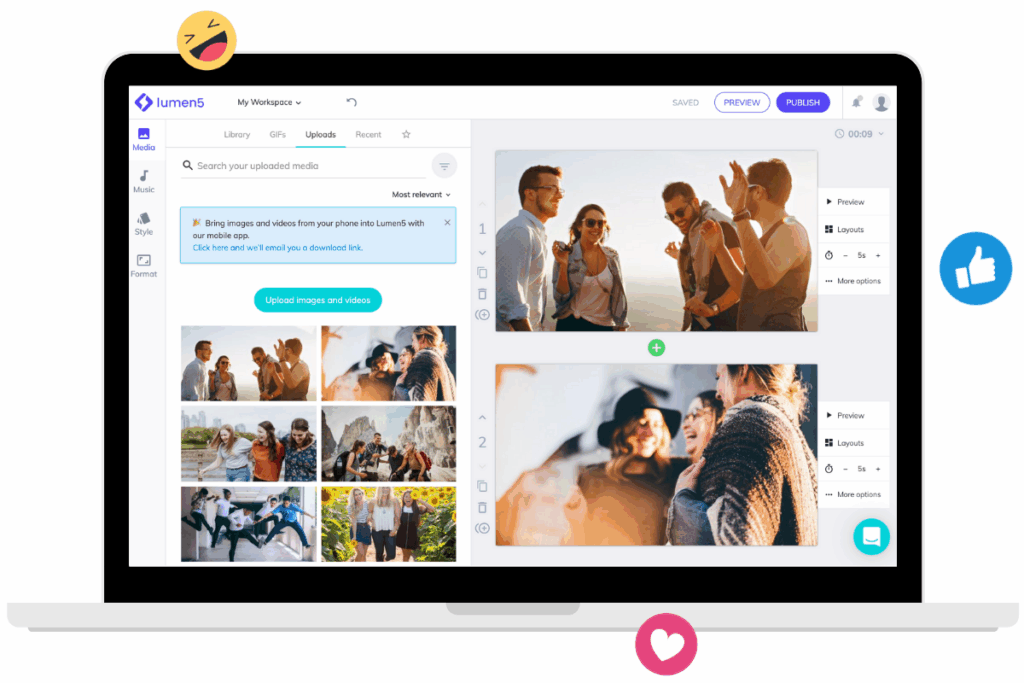
This AI-powered video generation platform enables users to create professional-quality videos from text content within minutes. The system uses advanced artificial intelligence algorithms to analyze written content, extract key points, and automatically generate video sequences with relevant visuals, music, and transitions.
The platform operates on a simple premise: users input text content, and the AI video generator processes this information to create engaging video presentations. Whether you’re working with blog posts, articles, social media content, or marketing copy, the system can transform written material into dynamic video content suitable for various platforms including YouTube, social media, and websites.
Key Features and Capabilities
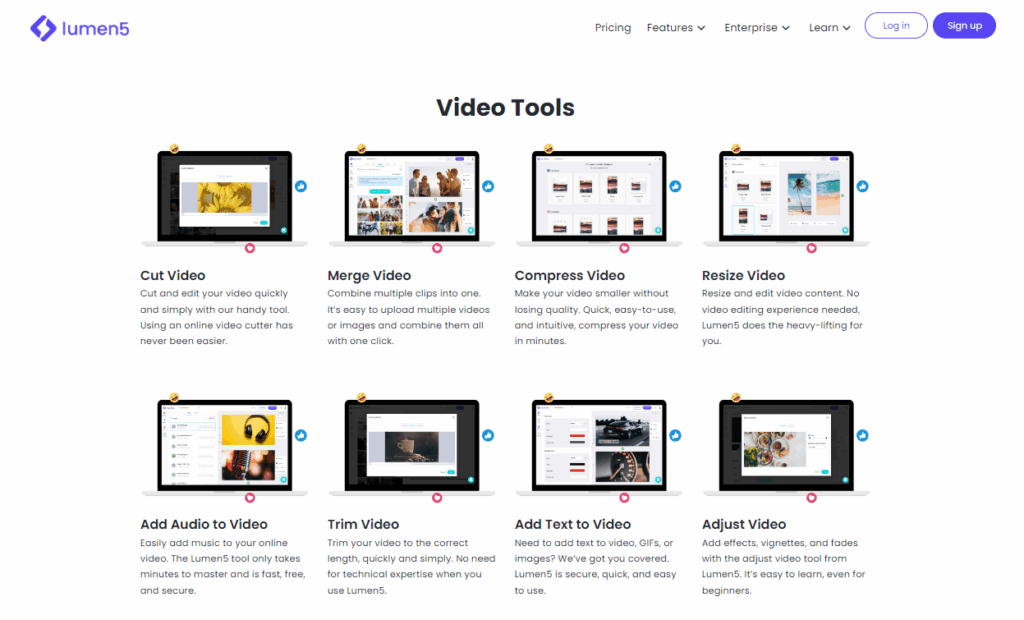
In this Lumen5 AI Review 2025, we highlight the platform’s most powerful capabilities, including its intuitive AI-driven text-to-video conversion engine.
AI-Powered Text-to-Video Conversion
The core functionality revolves around intelligent text analysis and video generation. The artificial intelligence engine reads through your content, identifies key themes and messages, then automatically selects appropriate visuals, animations, and layouts to create cohesive video narratives.
Extensive Media Library
Users gain access to millions of stock photos, video clips, and audio tracks. The platform’s media library is continuously updated with high-quality content that can be seamlessly integrated into your video projects without additional licensing concerns.
Customization Options
While the AI handles the heavy lifting, users retain creative control through extensive customization features. You can modify colors, fonts, layouts, transitions, and timing to align with your brand identity and messaging requirements.
Template Collection
The platform offers hundreds of professionally designed templates across various industries and use cases. These templates provide structured frameworks that can be customized while maintaining professional aesthetics.
Pricing Structure and Plans
Another key takeaway from our Lumen5 AI Review 2025 is how accessible the pricing is for startups and small content teams.
| Plan | Monthly Cost | Annual Cost | Key Features |
| Community | Free | Free | Basic templates, 720p export, watermark |
| Starter | $19/month | $228/year | HD export, no watermark, premium templates |
| Professional | $59/month | $708/year | Full HD export, advanced features, priority support |
| Enterprise | Custom | Custom | White-label, team collaboration, advanced analytics |
Free Plan Limitations
The community tier provides access to basic functionality with certain restrictions. Videos created under the free plan include platform watermarks and are limited to 720p resolution. Despite these limitations, the free tier offers substantial value for users exploring AI video creation capabilities.
Lifetime Deal Considerations
While lifetime deals occasionally appear through various promotional channels, users should carefully evaluate the terms and conditions. These offers typically provide long-term access to specific feature sets but may not include future premium updates or advanced capabilities.
Getting Started: Account Setup and Login Process
Creating an account is straightforward and requires minimal information. Users can sign up using email addresses or social media accounts, with the login process optimized for quick access across devices.
The onboarding experience includes guided tutorials that demonstrate core features and best practices for video creation. New users can access sample projects and templates to understand the platform’s capabilities before creating original content.
Video Creation Process
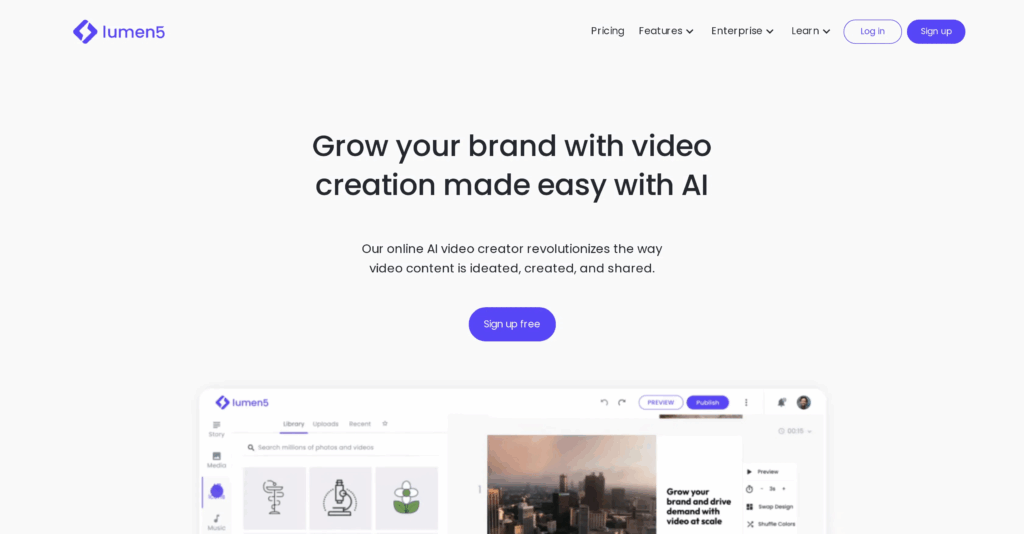
As part of this Lumen5 AI Review 2025, it’s important to understand how easy the actual workflow is, even for beginners with no video editing background.
Step 1: Content Input
Begin by inputting your text content through copy-paste, URL import, or direct typing. The AI analyzes the content structure, identifying key points, themes, and natural break points for video scenes.
Step 2: Template Selection
Choose from industry-specific templates or generic layouts that match your content type and target audience. Templates provide pre-configured styles, transitions, and pacing that can be customized as needed.
Step 3: AI Processing
The artificial intelligence engine processes your content, automatically generating scene sequences, selecting relevant visuals, and creating initial video structure. This process typically takes 30-60 seconds depending on content length.
Step 4: Customization
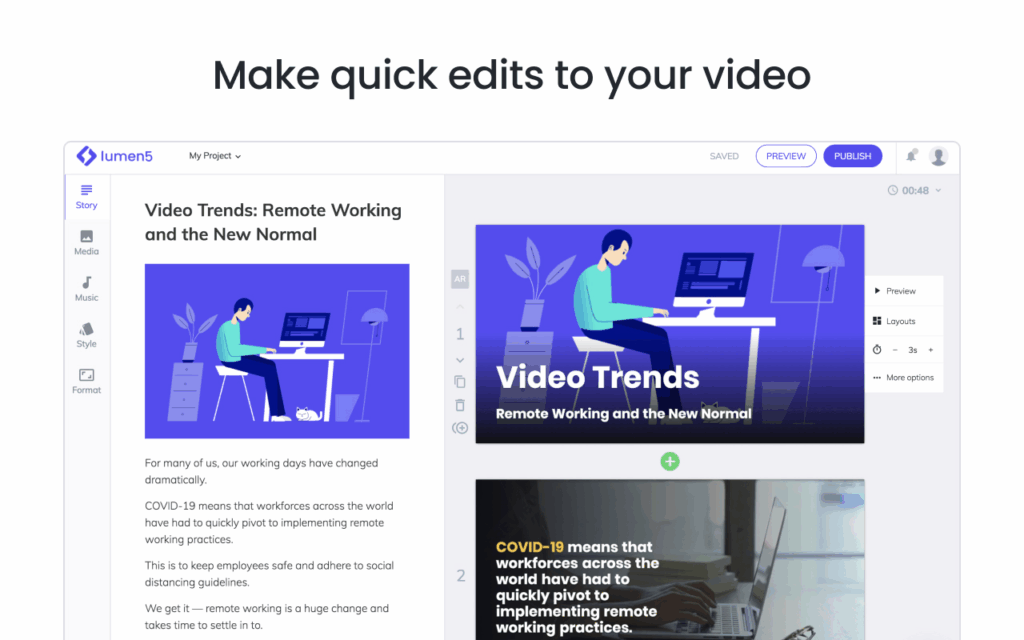
Review the AI-generated video and make adjustments to visuals, text positioning, timing, and audio elements. The drag-and-drop interface makes customization intuitive even for users without video editing experience.
Step 5: Export and Download
Once satisfied with your video, export in your preferred resolution and format. Higher-tier plans offer faster processing and premium export options.
Platform Strengths and Advantages
Time Efficiency
Traditional video creation can take hours or days, while AI-powered generation reduces this to minutes. The automated process handles technical aspects, allowing users to focus on content quality and messaging.
Cost-Effectiveness
Professional video production services can cost thousands of dollars per project. This platform provides professional-quality results at a fraction of traditional costs, making video content accessible to small businesses and individual creators.
No Technical Expertise Required
The user-friendly interface eliminates barriers typically associated with video editing software. Users without technical backgrounds can create professional-looking videos through intuitive controls and automated processes.
Scalability
The platform supports high-volume content creation, making it suitable for businesses requiring regular video output for marketing campaigns, social media, and educational content.
Limitations and Considerations
Creative Constraints
While AI automation streamlines production, it can sometimes limit creative expression. Users seeking highly customized or artistic video content may find the template-based approach restrictive.
Content Quality Dependency
The AI’s effectiveness depends heavily on input content quality. Well-structured, clear text produces better results than poorly organized or ambiguous content.
Internet Connectivity Requirements
As a cloud-based platform, consistent internet connectivity is essential for optimal performance. Slow connections can impact editing responsiveness and export times.
Comparison with Competitors
Traditional Video Editing Software
Compared to professional editing software like Adobe Premiere Pro or Final Cut Pro, AI-powered platforms offer faster production times but less granular control over editing details.
Other AI Video Generators
The market includes several alternatives, each with unique strengths. Some focus on animation, others on slideshow-style presentations, while some emphasize social media optimization.
YouTube Content Creation
For YouTube creators, the platform offers advantages in rapid content production and consistent output quality. However, highly successful YouTube channels often require more personalized, unique content that may exceed AI generation capabilities.
Best Practices for Optimal Results
Content Preparation
Structure your text content with clear headings, bullet points, and logical flow. Well-organized content produces more coherent video narratives.
Visual Consistency
Maintain consistent branding elements across videos, including colors, fonts, and logos. This creates professional appearance and reinforces brand recognition.
Audio Considerations
Select background music that complements your content tone and target audience. Ensure audio levels are balanced and don’t overpower narration or text elements.
Platform Optimization
Consider your target platform’s specifications when creating videos. YouTube videos may require different formatting than Instagram or LinkedIn content.
Advanced Features and Integration
API Access
Higher-tier plans may include API access for developers wanting to integrate video generation capabilities into existing workflows or applications.
Team Collaboration
Enterprise plans support team collaboration features, allowing multiple users to work on projects simultaneously with role-based permissions and approval workflows.
Analytics Integration
Track video performance across platforms with integrated analytics tools that provide insights into engagement, completion rates, and audience behavior.
Mobile Accessibility and Cross-Platform Support
The platform offers responsive web design that functions across devices, though mobile editing capabilities may be limited compared to desktop functionality. Users can review and make basic edits on mobile devices while reserving complex editing tasks for desktop environments.
Customer Support and Resources
Documentation and Tutorials
Comprehensive help documentation covers all platform features with step-by-step guides and video tutorials. The knowledge base addresses common questions and troubleshooting scenarios.
Community Forums
User communities provide peer support and creative inspiration. Community members share tips, templates, and best practices for maximizing platform effectiveness.
Direct Support
Paid plans typically include email support with response times varying by plan level. Enterprise customers may receive priority support and dedicated account management.
Security and Privacy Considerations
Data Protection
The platform implements standard security measures for user data protection, including encrypted connections and secure storage practices. Users should review privacy policies to understand data handling procedures.
Content Ownership
Users retain ownership of their original content and created videos. However, reviewing terms of service regarding content usage and platform rights is advisable.
Future Developments and Roadmap
AI Technology Improvements
Continuous improvements in artificial intelligence are expected to enhance video quality, increase customization options, and expand creative possibilities.
New Feature Releases
Regular platform updates introduce new templates, media assets, and functionality based on user feedback and industry trends.
Integration Expansions
Future developments may include enhanced integrations with popular marketing tools, social media platforms, and content management systems.
Frequently Asked Questions
Is the platform completely free to use?
A free tier exists with basic functionality and watermarked exports. Full features require paid subscriptions, though the free version provides substantial value for testing and light usage.
Can I use the platform without internet connection?
No, as a cloud-based service, internet connectivity is required for all functionality including editing, media access, and exporting.
What video formats are supported for export?
The platform supports common video formats including MP4, with resolution options varying by subscription tier. Higher plans offer additional format options and quality settings.
How long does video processing take?
Processing time depends on video length and complexity, typically ranging from 30 seconds to several minutes. Paid plans generally offer faster processing speeds.
Can I upload my own media assets?
Yes, users can upload custom images, videos, and audio files to incorporate into their projects alongside the platform’s media library.
Is there a limit to video length?
Video length limits vary by plan, with free accounts having shorter duration limits than paid subscriptions. Enterprise plans typically offer extended duration options.
Can I edit videos after creation?
Yes, videos can be edited and modified after initial creation. Changes can be made to text, visuals, timing, and other elements as needed.
Does the platform support multiple languages?
The platform supports multiple languages for text content, though specific language availability may vary and impact AI processing quality.
Can I collaborate with team members?
Team collaboration features are available on higher-tier plans, allowing multiple users to work on projects with appropriate permissions and workflow controls.
What happens to my videos if I cancel my subscription?
Video access and editing capabilities depend on subscription status. Users should review terms of service regarding content retention and access after subscription cancellation.
Conclusion
To wrap up this Lumen5 AI Review 2025, it’s clear the platform stands out as one of the best AI video creation tools for businesses, marketers, and creators. AI-powered video creation platforms represent a significant advancement in content production technology, democratizing video creation for businesses and individuals previously limited by technical barriers or budget constraints. The combination of artificial intelligence automation and user-friendly interfaces creates powerful tools for modern content marketing.
While these platforms excel at rapid content production and cost-effectiveness, users should consider their specific needs, creative requirements, and long-term content strategies when evaluating options. The technology continues evolving, with improvements in AI capabilities, expanded customization options, and enhanced integration possibilities.
For businesses requiring consistent video content output, marketing teams with limited design resources, or content creators seeking efficient production workflows, AI video generation platforms offer compelling solutions. The key lies in understanding platform capabilities, limitations, and best practices to maximize the technology’s potential while maintaining content quality and brand consistency.
Success with AI video creation depends on quality input content, strategic template selection, and thoughtful customization. As the technology matures, we can expect even more sophisticated features and creative possibilities, further transforming how we approach video content creation in the digital age.