10 Best AI Tools for Designers (2025)
The design industry is experiencing a revolutionary transformation as artificial intelligence reshapes how creative professionals approach their craft. In 2025, AI-powered design tools have evolved from experimental novelties to essential components of modern design workflows, fundamentally changing how graphic designers, UI/UX professionals, and creative teams conceptualize, create, and deliver exceptional visual experiences.
Today’s best AI tools for graphic designers offer unprecedented capabilities in automation, ideation, and creative enhancement. These intelligent systems can generate layouts, suggest color palettes, create typography combinations, and even produce entire visual compositions based on simple text prompts. For UI/UX designers, AI design tools now provide sophisticated user interface suggestions, automated wireframing, and data-driven design recommendations that significantly accelerate the design process.
The impact extends far beyond speed improvements. AI tools for creatives and illustrators are democratizing design by making professional-quality outputs accessible to designers at every skill level. From AI-powered logo generators that can create brand identities in minutes to design automation tools using AI that handle repetitive tasks, these technologies free designers to focus on strategic thinking and creative problem-solving.
What makes 2025 particularly exciting is the emergence of free AI tools for designers that deliver professional results without significant financial investment. This accessibility is transforming the creative landscape, enabling freelancers, startups, and small agencies to compete with larger organizations while maintaining high design standards.
The integration of AI in product design 2025 trends shows how these tools support visual storytelling, brand consistency, and collaborative workflows. Modern AI design platforms understand context, maintain design systems, and even adapt to brand guidelines automatically. This evolution represents more than technological advancement—it’s a fundamental shift in how we approach creative work.
1. Midjourney – Advanced AI Image Generation for Creative Professionals
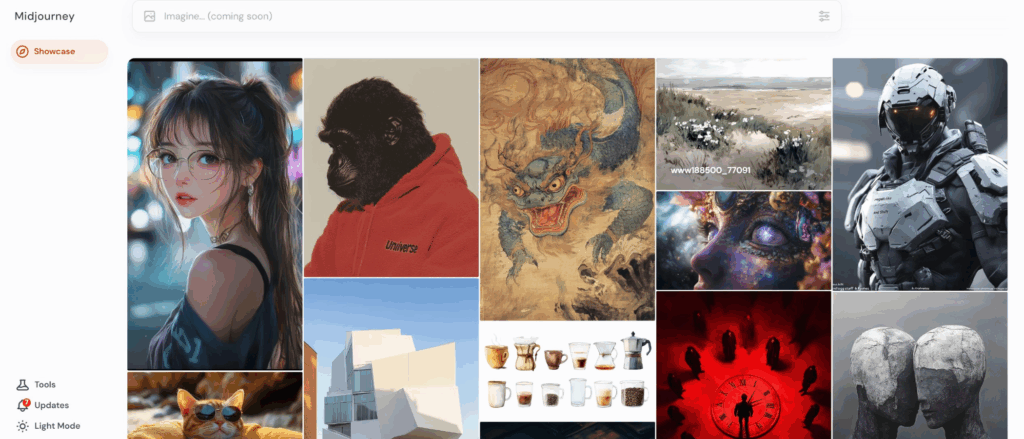
Midjourney stands as the premier AI-powered visual creation platform for designers seeking photorealistic imagery, conceptual art, and creative inspiration. This tool has revolutionized how graphic designers approach image creation, offering sophisticated prompt-based generation that produces stunning visuals across multiple artistic styles.
The platform’s AI capabilities extend far beyond simple image generation. Designers can specify detailed parameters including aspect ratios, stylistic influences, lighting conditions, and compositional elements. The tool excels at creating mood boards, concept art, and visual references that would traditionally require hours of searching stock photography or commissioning custom illustrations.
For graphic designers working on branding projects, Midjourney’s ability to generate consistent visual themes across multiple images proves invaluable. The platform supports various design aesthetics, from minimalist corporate imagery to vibrant artistic expressions, making it versatile for different client needs and brand personalities.
UI/UX designers particularly benefit from Midjourney’s capability to generate interface mockups, icon concepts, and visual elements that inspire design directions. The tool’s understanding of design principles allows it to create images that consider composition, color harmony, and visual hierarchy effectively.
Midjourney operates through Discord integration, requiring a subscription model starting at $10 monthly for basic access. The platform supports web browsers and mobile devices, making it accessible across different working environments. Professional designers appreciate the commercial licensing included with paid subscriptions, enabling client work without additional fees.
The standout feature remains its exceptional prompt interpretation ability, allowing designers to describe complex visual concepts in natural language and receive remarkably accurate results that often exceed initial expectations.
2. Adobe Firefly – Integrated AI Design Suite
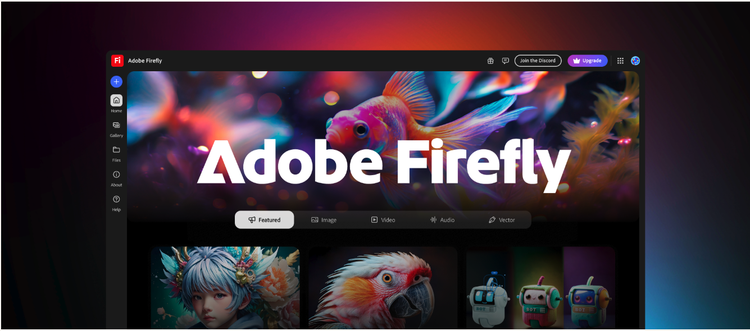
Adobe Firefly represents the company’s comprehensive approach to AI integration across their creative ecosystem. This AI design tool seamlessly incorporates into familiar Adobe applications, providing designers with intelligent assistance without disrupting established workflows.
The platform’s generative AI capabilities span multiple design disciplines. Graphic designers can generate custom illustrations, modify existing images through text prompts, and create variations of design elements instantly. The tool’s understanding of Adobe’s design principles ensures outputs maintain professional quality standards consistent with traditional Adobe workflows.
Firefly’s strength lies in its integration with Photoshop, Illustrator, and other Creative Suite applications. Designers can generate backgrounds, extend images, replace objects, and create entirely new visual elements without leaving their primary design environment. This seamless integration significantly reduces context switching and maintains creative momentum.
For branding professionals, Firefly offers sophisticated logo generation and brand asset creation capabilities. The AI understands design consistency requirements and can generate cohesive visual elements that align with established brand guidelines. Typography generation features help create custom lettering and stylized text elements.
The tool particularly excels in content-aware editing, allowing designers to modify images intelligently while maintaining realistic lighting, shadows, and perspective. This capability proves essential for product designers working with photographic content and marketing materials.
Adobe Firefly operates on a credit-based system integrated with Creative Cloud subscriptions. The platform supports desktop applications and web interfaces, ensuring accessibility across different working scenarios. Commercial licensing is included with paid subscriptions, making it suitable for professional client work.
Its standout feature is the seamless integration with existing Adobe workflows, allowing designers to leverage AI capabilities without learning entirely new interfaces or disrupting established creative processes.
3. Canva Magic Studio – Accessible AI Design Platform
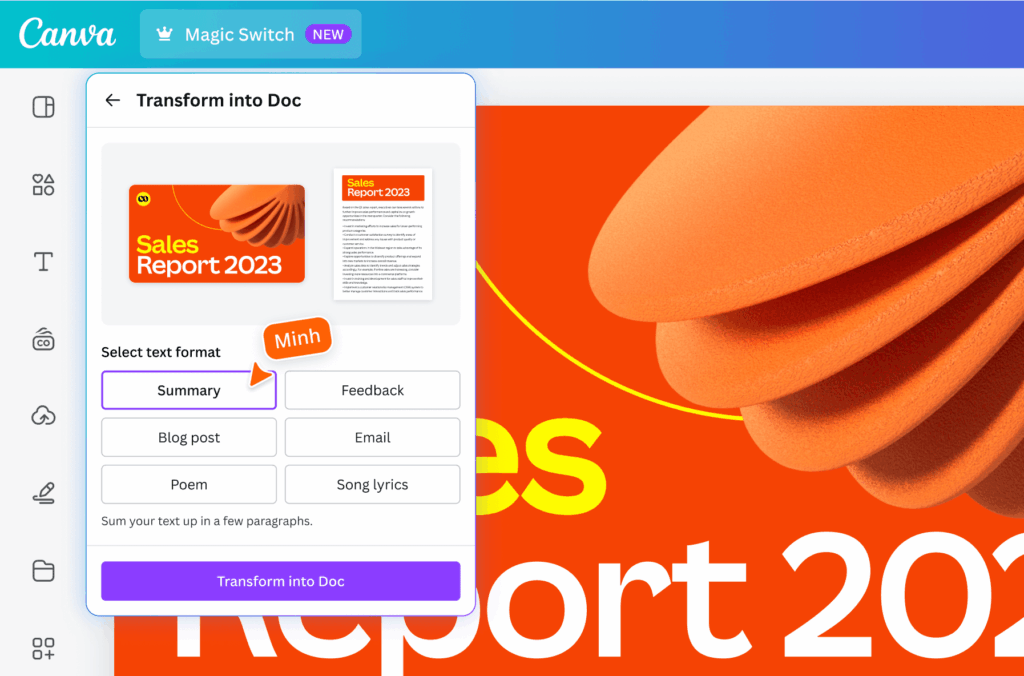
Canva Magic Studio has evolved into a powerful AI design suite that democratizes professional design capabilities for users across skill levels. This platform combines intuitive interface design with sophisticated AI tools, making advanced design features accessible to both professional designers and non-designers alike.
The AI capabilities within Magic Studio span template generation, image creation, and design optimization. Users can describe their design needs in natural language, and the platform generates multiple design options complete with appropriate typography, color schemes, and layout arrangements. This functionality proves particularly valuable for rapid prototyping and client presentation scenarios.
Graphic designers appreciate Magic Studio’s ability to generate brand-consistent designs across multiple formats simultaneously. The platform can create entire marketing campaigns, ensuring visual consistency across social media posts, presentations, flyers, and digital advertisements while maintaining brand guidelines.
The tool’s AI-powered background removal, image enhancement, and style transfer features streamline common design tasks. Designers can quickly isolate subjects, enhance image quality, and apply artistic effects without requiring advanced photo editing skills or additional software.
For UI/UX professionals, Magic Studio offers wireframe generation and interface mockup capabilities. The platform can suggest layout improvements, color accessibility compliance, and user experience enhancements based on current design trends and best practices.
Canva operates on a freemium model with Magic Studio features available in paid plans starting at $15 monthly. The platform functions entirely through web browsers and mobile applications, requiring no software installation. This accessibility makes it ideal for collaborative design workflows and remote team environments.
The standout feature is its exceptional ease of use combined with professional-quality outputs, making sophisticated AI design capabilities accessible to users regardless of their technical expertise or design background.
4. Figma AI – Collaborative Design Intelligence
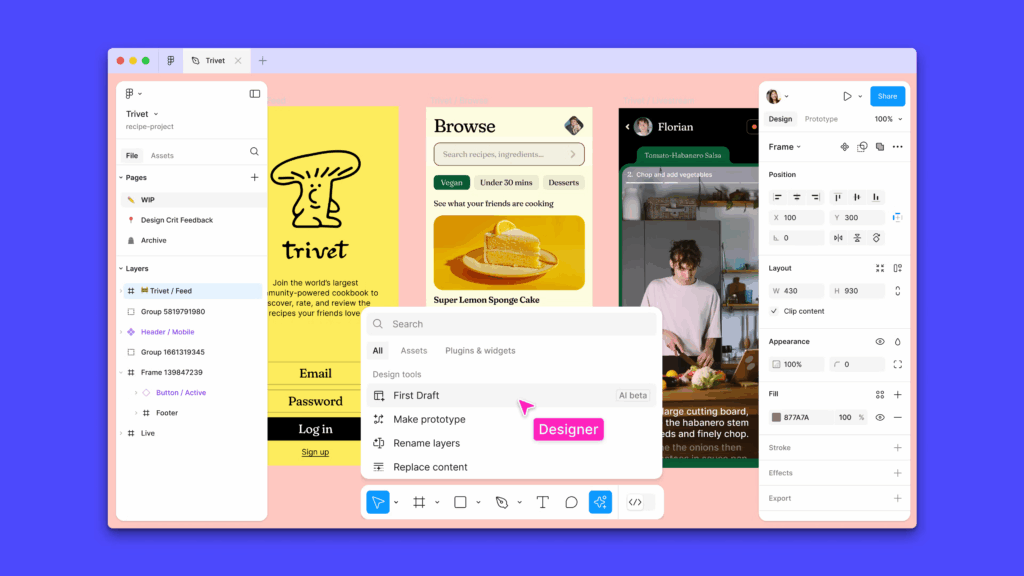
Figma AI represents the evolution of collaborative design platforms, integrating artificial intelligence directly into the interface design process. This tool enhances the already powerful Figma ecosystem with intelligent features that support UI/UX designers, product teams, and design organizations.
The platform’s AI capabilities focus specifically on interface design challenges. Designers can generate component variations, suggest layout improvements, and automate responsive design adaptations across different screen sizes. The AI understands design system principles and maintains consistency with established component libraries.
For UI/UX designers, Figma AI offers intelligent spacing suggestions, alignment recommendations, and accessibility compliance checking. The tool can analyze designs for color contrast issues, font size accessibility, and interactive element spacing, ensuring designs meet modern usability standards.
The platform’s collaborative AI features enable design teams to maintain consistency across large projects. The AI can suggest when designers deviate from established patterns, recommend appropriate components from existing libraries, and even generate design documentation automatically.
Product designers benefit from Figma AI’s user flow analysis capabilities. The tool can suggest navigation improvements, identify potential user experience issues, and recommend interface optimizations based on design best practices and user behavior patterns.
Figma AI integrates seamlessly with existing Figma workflows, requiring no additional software or significant learning curves. The platform operates on subscription pricing tiers, with AI features available in professional plans starting at $12 per editor monthly.
The tool’s web-based nature ensures accessibility across different operating systems and devices. Real-time collaboration features allow design teams to leverage AI capabilities simultaneously, making it ideal for distributed teams and agile development processes.
Its standout feature is the seamless integration of AI assistance within collaborative design workflows, enabling teams to maintain design quality and consistency while accelerating their creative processes.
5. RunwayML – AI-Powered Video and Motion Graphics
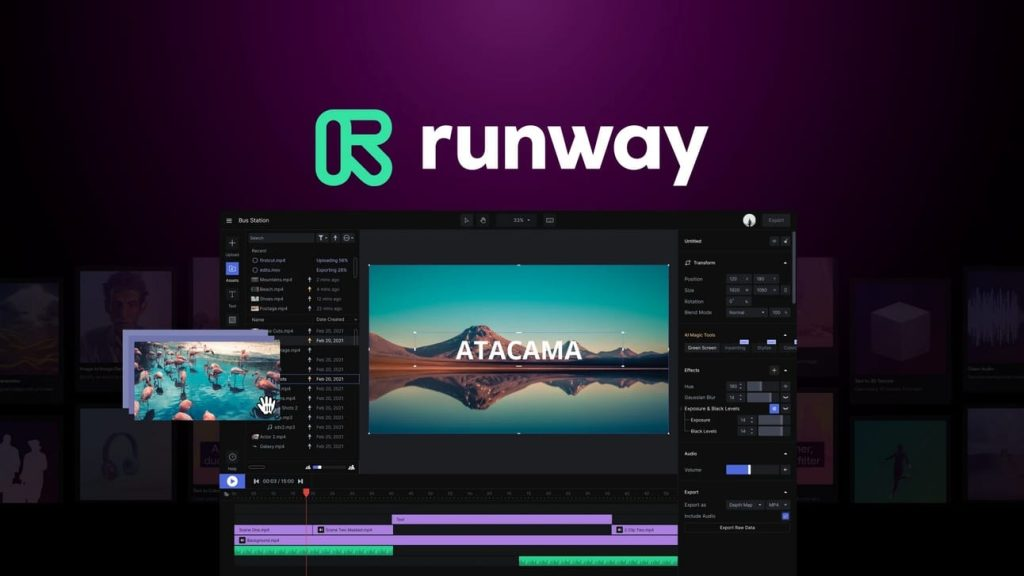
RunwayML has established itself as the premier AI platform for motion graphics designers and video professionals. This tool brings sophisticated artificial intelligence capabilities to video editing, animation, and motion design workflows, enabling designers to create complex visual content with unprecedented efficiency.
The platform’s AI video generation capabilities allow designers to create custom footage from text descriptions. This feature proves invaluable for creating background videos, conceptual animations, and visual elements that would traditionally require expensive video production or stock footage licensing.
Motion graphics designers particularly benefit from RunwayML’s automated animation features. The platform can generate smooth transitions, create particle effects, and produce complex motion sequences based on simple prompts. These capabilities significantly reduce the time required for creating professional motion graphics content.
For graphic designers working with video content, RunwayML offers AI-powered editing tools including automatic color correction, scene detection, and content-aware cropping. The platform can adapt existing video content for different aspect ratios and social media platforms automatically.
The tool’s green screen replacement and background generation features enable designers to create professional video content without elaborate production setups. These capabilities are particularly valuable for client presentations, marketing videos, and social media content creation.
RunwayML operates on a subscription model with pricing tiers based on processing time and export quality. The platform provides web-based access with high-performance cloud processing, ensuring smooth operation regardless of local hardware limitations.
The tool supports various export formats optimized for different platforms and use cases. Integration with popular video editing software ensures compatibility with existing workflows and professional production pipelines.
Its standout feature is the combination of advanced AI video generation with user-friendly interfaces, making sophisticated motion graphics and video editing capabilities accessible to designers without extensive video production experience.
6. Stable Diffusion – Open-Source AI Image Generation
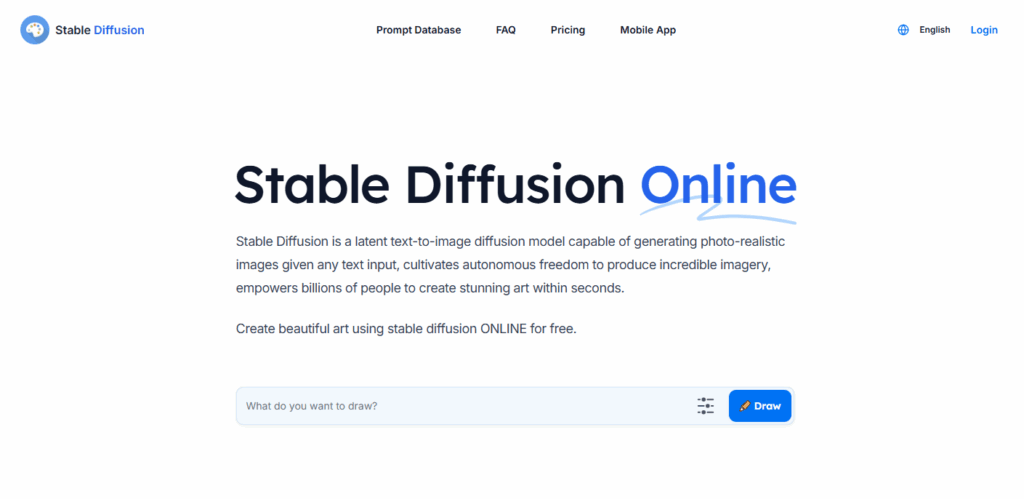
Stable Diffusion represents the democratization of advanced AI image generation through open-source accessibility. This platform provides designers with powerful image creation capabilities without subscription fees or usage limitations, making it particularly attractive for freelancers and independent creative professionals.
The platform’s strength lies in its flexibility and customization options. Designers can fine-tune models for specific artistic styles, train custom datasets for particular brand aesthetics, and modify generation parameters to achieve precise visual outcomes. This level of control appeals to designers requiring consistent, brand-specific imagery.
Graphic designers appreciate Stable Diffusion’s ability to generate high-resolution images suitable for print applications. The platform supports various aspect ratios and can produce images with sufficient detail for large-format printing, poster design, and marketing materials.
For UI/UX designers, Stable Diffusion offers capabilities for generating interface mockups, icon sets, and visual elements. The platform can create consistent design assets that maintain visual harmony across digital products and applications.
The tool’s local installation option provides designers with complete privacy and control over their creative assets. This feature proves essential for designers working with confidential client projects or proprietary brand materials.
Multiple user interfaces and implementations make Stable Diffusion accessible to designers with varying technical expertise. Web-based versions provide easy access, while local installations offer maximum customization and performance optimization.
The platform’s open-source nature enables extensive community support, custom extensions, and specialized tools developed specifically for design applications. This ecosystem continues expanding with new features and capabilities developed by the design community.
Its standout feature is the combination of professional-quality outputs with complete ownership and customization control, providing designers with unlimited creative possibilities without ongoing subscription costs.
7. Uizard – AI-Powered UI/UX Design Platform
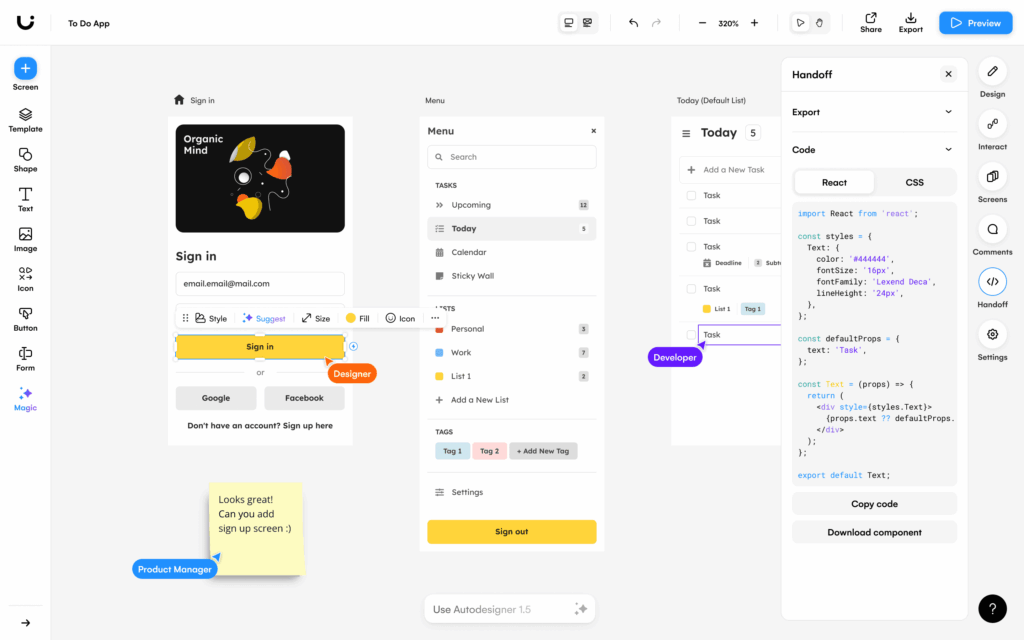
Uizard has positioned itself as the leading AI design tool specifically focused on user interface and user experience design. This platform transforms the traditional UI/UX design process by enabling designers to create functional prototypes and polished interfaces through natural language descriptions and automated design suggestions.
The platform’s AI capabilities extend from wireframe generation to high-fidelity prototype creation. Designers can describe their interface requirements verbally or through text input, and Uizard generates complete interface layouts with appropriate components, navigation structures, and interactive elements.
UI/UX designers benefit from Uizard’s understanding of modern interface design principles. The platform automatically applies appropriate spacing, typography hierarchies, and color schemes while ensuring accessibility compliance and responsive design considerations across different device types.
The tool’s sketch-to-design functionality allows designers to photograph hand-drawn wireframes and convert them into digital prototypes automatically. This capability bridges traditional design methods with digital workflows, accommodating designers who prefer initial concept development through sketching.
Uizard’s collaborative features enable design teams to iterate quickly on interface concepts. The platform supports real-time collaboration, version control, and stakeholder feedback integration, making it valuable for agile development processes and client presentation scenarios.
For product designers, Uizard offers user flow mapping and interaction prototyping capabilities. The platform can generate navigation structures, suggest user journey improvements, and create interactive demonstrations that communicate design concepts effectively to development teams.
The platform operates on subscription pricing with different tiers based on project complexity and team size. Web-based operation ensures accessibility across different operating systems and enables seamless collaboration regardless of team location.
Its standout feature is the complete focus on UI/UX design workflows, providing specialized tools and AI capabilities specifically optimized for interface design challenges and user experience considerations.
8. Looka (formerly Logojoy) – AI-Powered Brand Identity Generator
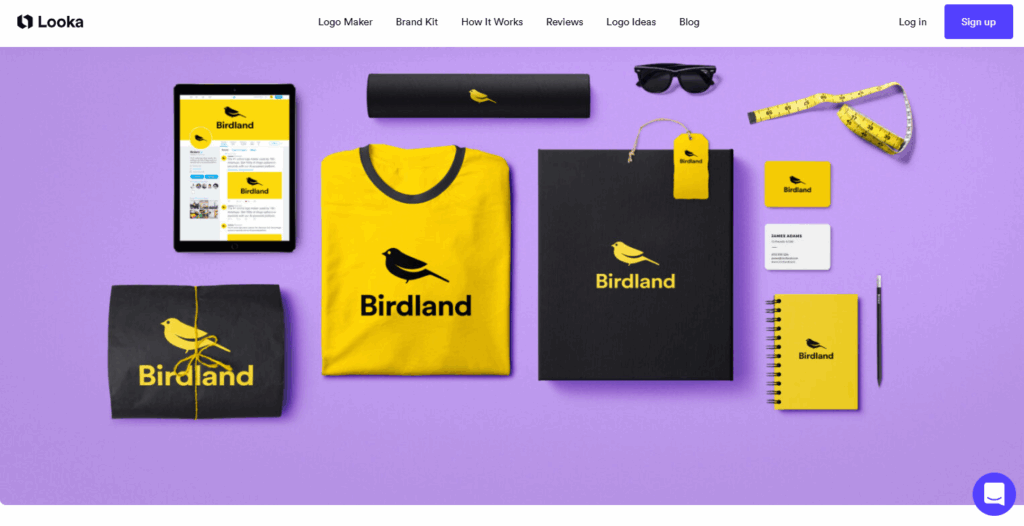
Looka has evolved into a comprehensive AI branding platform that extends far beyond simple logo generation. This tool provides small businesses, startups, and designers with complete brand identity solutions powered by sophisticated artificial intelligence algorithms.
The platform’s logo generation capabilities analyze industry trends, color psychology, and typography principles to create brand marks that align with business objectives and target audience preferences. The AI considers brand personality, industry context, and competitive landscape factors when generating design options.
Graphic designers working with small business clients appreciate Looka’s ability to generate multiple brand identity variations quickly. This capability enables rapid client presentations and iterative design processes without extensive manual creation time.
The tool’s brand kit generation extends logo creation into complete visual identity systems. Looka automatically creates business cards, letterheads, social media templates, and marketing materials that maintain visual consistency across all brand touchpoints.
For entrepreneurs and small business owners, Looka provides brand identity solutions without requiring extensive design knowledge or significant budget allocation. The platform democratizes professional branding by making sophisticated design capabilities accessible to non-designers.
The AI continuously learns from user preferences and feedback, improving design suggestions and brand alignment over time. This machine learning approach ensures that generated designs reflect current trends and user preferences while maintaining timeless brand principles.
Looka operates on a purchase model where users pay for completed logo packages and brand kits. This approach provides cost predictability and ownership of design assets without ongoing subscription commitments.
The platform includes commercial licensing and high-resolution file formats suitable for various applications, from digital marketing to print production and merchandise creation.
Its standout feature is the comprehensive approach to brand identity creation, providing complete visual identity systems rather than isolated logo designs, making it valuable for holistic brand development projects.
9. Tome – AI-Powered Presentation and Storytelling Platform
Tome represents the next generation of presentation software, combining artificial intelligence with sophisticated design capabilities to create compelling visual narratives. This platform transforms how designers approach presentation design, client pitches, and visual storytelling projects.
The platform’s AI capabilities extend from content generation to complete presentation design. Users can input topics or concepts, and Tome generates entire presentations with appropriate layouts, imagery, typography, and narrative structure. This functionality proves valuable for rapid client proposal creation and concept presentation scenarios.
Graphic designers benefit from Tome’s understanding of visual hierarchy and presentation design principles. The platform automatically applies appropriate spacing, color schemes, and layout arrangements while maintaining consistency across presentation slides and sections.
The tool’s integration with AI image generation enables designers to create custom visuals directly within presentations. This capability eliminates the need for external image creation tools and ensures visual consistency throughout presentation materials.
For marketing professionals and creative teams, Tome offers template customization and brand consistency features. The platform can adapt presentations to match established brand guidelines while maintaining professional design standards and visual appeal.
The collaborative features enable design teams to work simultaneously on presentation projects. Real-time editing, comment systems, and version control ensure smooth workflow management for complex presentation projects involving multiple stakeholders.
Tome’s interactive capabilities allow designers to create engaging presentations with embedded media, animations, and interactive elements. These features prove valuable for client presentations, portfolio showcases, and educational content creation.
The platform operates on a freemium model with advanced AI features available in paid subscriptions. Web-based operation ensures accessibility across different devices and enables seamless sharing and collaboration.
Its standout feature is the combination of AI-powered content generation with sophisticated presentation design capabilities, enabling designers to create compelling visual narratives efficiently and effectively.
10. Gamma – AI-Driven Content and Design Platform
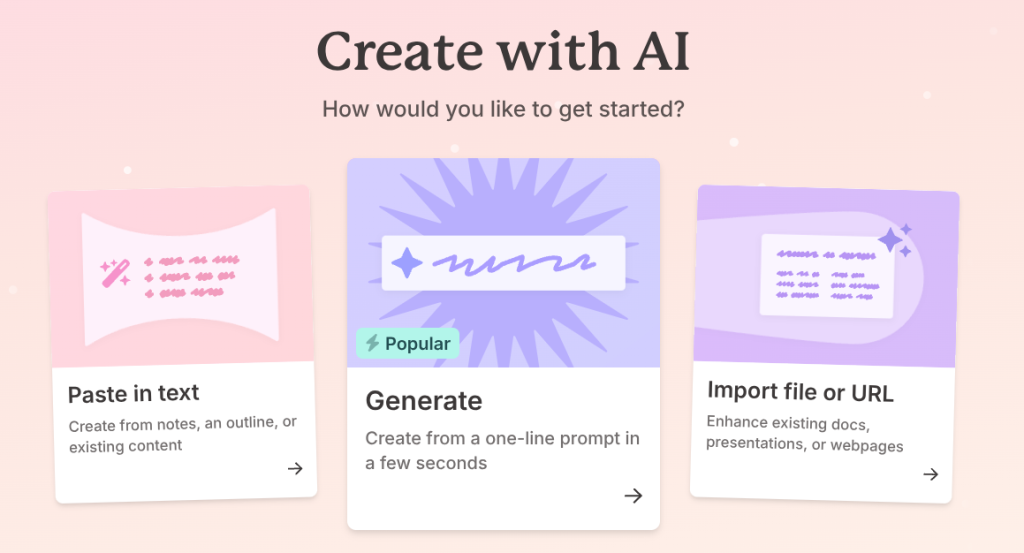
Gamma concludes our list as a comprehensive AI platform that bridges content creation with sophisticated design capabilities. This tool enables designers to create presentations, documents, and web pages through AI-powered automation while maintaining professional design standards.
The platform’s AI understands both content structure and visual design principles. Users can input topics or upload existing content, and Gamma generates complete designs with appropriate layouts, typography, imagery, and interactive elements that support the content narrative effectively.
Content creators and graphic designers appreciate Gamma’s ability to transform written content into visually engaging presentations automatically. The platform analyzes content structure, identifies key points, and creates visual hierarchies that enhance information communication and audience engagement.
The tool’s web page creation capabilities enable designers to create responsive websites and landing pages without coding knowledge. Gamma’s AI handles responsive design considerations, ensuring optimal display across different devices and screen sizes automatically.
For marketing teams and creative professionals, Gamma offers template customization and brand adaptation features. The platform can maintain brand consistency while adapting designs for different content types and communication objectives.
The collaborative features support team-based content creation workflows. Multiple users can contribute content and design feedback simultaneously, making it valuable for agencies and creative teams working on client projects.
Gamma’s integration capabilities allow designers to incorporate content from various sources including documents, presentations, and web resources. This functionality streamlines content repurposing and cross-platform design consistency efforts.
The platform operates on subscription pricing with different tiers based on usage and advanced features. Cloud-based operation ensures accessibility and enables seamless collaboration regardless of team location or device preferences.
Its standout feature is the seamless integration of content intelligence with design automation, enabling designers to create cohesive visual communications that effectively support content objectives and audience engagement.
Comparison Table
| Tool Name | Best For | AI Capabilities | Free/Paid | Platform | Standout Feature |
| Midjourney | Creative imagery & concept art | Advanced image generation, style control | Paid ($10+/month) | Discord/Web | Exceptional prompt interpretation |
| Adobe Firefly | Integrated creative workflows | Generative editing, seamless integration | Paid (Creative Cloud) | Desktop/Web | Adobe ecosystem integration |
| Canva Magic Studio | Accessible design creation | Template generation, brand consistency | Freemium ($15+/month) | Web/Mobile | User-friendly professional outputs |
| Figma AI | UI/UX collaborative design | Interface optimization, design systems | Paid ($12+/month) | Web | Collaborative design intelligence |
| RunwayML | Video & motion graphics | AI video generation, motion design | Paid (usage-based) | Web | Advanced video AI capabilities |
| Stable Diffusion | Customizable image generation | Open-source flexibility, local control | Free (open-source) | Local/Web | Complete customization control |
| Uizard | UI/UX prototyping | Interface generation, sketch conversion | Paid (subscription) | Web | Specialized UI/UX focus |
| Looka | Brand identity creation | Logo generation, brand kit creation | Purchase model | Web | Comprehensive brand systems |
| Tome | Presentation storytelling | Content-aware design, narrative structure | Freemium | Web | AI-powered storytelling |
| Gamma | Content-driven design | Content analysis, responsive generation | Paid (subscription) | Web | Content-design integration |
Frequently Asked Questions
1. What is the best AI tool for designers in 2025?
The best AI tool depends on your specific design needs and workflow requirements. For graphic designers focused on image creation, Midjourney offers exceptional creative capabilities. UI/UX designers benefit most from Figma AI’s collaborative interface design features. Adobe Firefly provides the best integration for designers already using Creative Suite applications. Beginners and non-designers often find Canva Magic Studio most accessible, while professionals requiring maximum control prefer Stable Diffusion’s open-source flexibility.
2. Can AI tools replace graphic designers?
AI tools enhance rather than replace graphic designers. These platforms excel at generating initial concepts, automating repetitive tasks, and providing creative inspiration, but they cannot replicate human creativity, strategic thinking, and client relationship management. Successful designers in 2025 leverage AI to amplify their capabilities, focusing on creative direction, brand strategy, and problem-solving while using AI for efficiency and ideation support.
3. Are there AI tools for UX and UI designers?
Yes, several AI tools specifically target UI/UX design workflows. Figma AI provides collaborative interface design features, while Uizard specializes in UI/UX prototyping and wireframe generation. These platforms understand interface design principles, accessibility requirements, and user experience considerations. They can generate layouts, suggest improvements, and automate responsive design adaptations while maintaining design system consistency.
4. Do AI tools help speed up design workflows?
AI tools significantly accelerate design workflows by automating time-consuming tasks like image generation, layout creation, and asset preparation. Designers report 50-70% time savings on initial concept development and routine design tasks. However, the greatest value comes from freeing designers to focus on strategic thinking, client collaboration, and creative problem-solving rather than purely increasing output speed.
5. Are there free AI design tools available?
Several free AI design tools provide professional capabilities without subscription costs. Stable Diffusion offers open-source image generation with complete customization control. Canva Magic Studio provides limited free AI features for basic design needs. Many platforms offer freemium models with basic AI capabilities included. These options make AI design tools accessible to students, freelancers, and small businesses with limited budgets.
6. How can AI help with branding and logo creation?
AI-powered branding tools like Looka analyze industry trends, color psychology, and typography principles to generate logos and complete brand identity systems. These platforms can create multiple design variations quickly, generate brand guidelines, and produce marketing materials that maintain visual consistency. While AI handles initial generation and variation creation, human oversight ensures brand alignment with business objectives and target audience preferences.
7. Do AI tools support collaboration in design teams?
Modern AI design platforms prioritize collaborative workflows with real-time editing, version control, and team feedback systems. Figma AI, Canva Magic Studio, and similar platforms enable multiple designers to work simultaneously while maintaining AI assistance capabilities. These tools often include comment systems, approval workflows, and stakeholder feedback integration that streamline team-based design processes and client collaboration.
Conclusion
The integration of artificial intelligence into design workflows represents more than technological advancement—it signifies a fundamental shift in how creative professionals approach their craft. These ten AI tools for designers demonstrate the remarkable evolution of creative technology, offering capabilities that enhance human creativity rather than replace it.
From Midjourney’s exceptional image generation to Figma AI’s collaborative interface design features, each platform addresses specific aspects of the modern design process. The diversity of these tools reflects the varied needs of today’s creative professionals, whether they’re graphic designers seeking visual inspiration, UI/UX professionals optimizing user experiences, or brand strategists developing comprehensive identity systems.
The democratization of professional design capabilities through free AI tools for designers ensures that creativity and innovation aren’t limited by budget constraints. Platforms like Stable Diffusion prove that open-source solutions can compete with premium offerings while providing unprecedented customization control.
As we progress through 2025, the most successful designers will be those who embrace AI as a creative amplifier rather than viewing it as competition. These tools excel at handling routine tasks, generating initial concepts, and providing creative inspiration, freeing designers to focus on strategic thinking, client relationships, and innovative problem-solving.
The future of design lies not in choosing between human creativity and artificial intelligence, but in discovering how these capabilities can work together to produce exceptional results. Whether you’re exploring AI-powered logo generators for branding projects, leveraging design automation tools for efficiency, or using AI for visual storytelling, the key is finding the right combination of tools that complement your creative process and professional objectives.
Take time to experiment with these platforms, understanding their strengths and limitations within your specific workflow requirements. The investment in learning these AI capabilities today will define your competitive advantage and creative potential in tomorrow’s rapidly evolving design landscape.