
Best 10 AI Tools for Engineering Students (2025)
The engineering landscape is experiencing a revolutionary transformation in 2025, driven by artificial intelligence technologies. AI tools for engineering students in 2025 are redefining how future engineers learn, design, and innovate—making education smarter, faster, and more efficient than ever before. Modern engineering education demands more than traditional textbooks and conventional software – it requires smart, AI-powered tools that can accelerate learning, enhance productivity, and unlock new possibilities in design and problem-solving.
Today’s engineering students face increasingly complex challenges across mechanical, electrical, civil, and software engineering disciplines. They need intelligent solutions that can assist with everything from CAD modeling and simulation to research writing and project management. The best AI tools for engineering students in 2025 combine cutting-edge machine learning algorithms with user-friendly interfaces, making advanced engineering concepts more accessible and practical applications more efficient.
These AI-powered platforms are not just supplementary tools – they’re becoming essential companions for engineering students who want to stay competitive in a rapidly evolving technological landscape. From AI-assisted design software that can generate multiple design iterations to intelligent tutoring systems that provide personalized learning experiences, these tools are democratizing access to advanced engineering capabilities.
Whether you’re working on mechanical design projects, electrical circuit analysis, structural engineering calculations, or software development, the right AI tools can significantly enhance your learning experience and professional preparation. This comprehensive guide explores the top 10 AI tools that are transforming engineering education and helping students achieve better results in less time.
1. Autodesk Fusion 360 with AI-Powered Generative Design
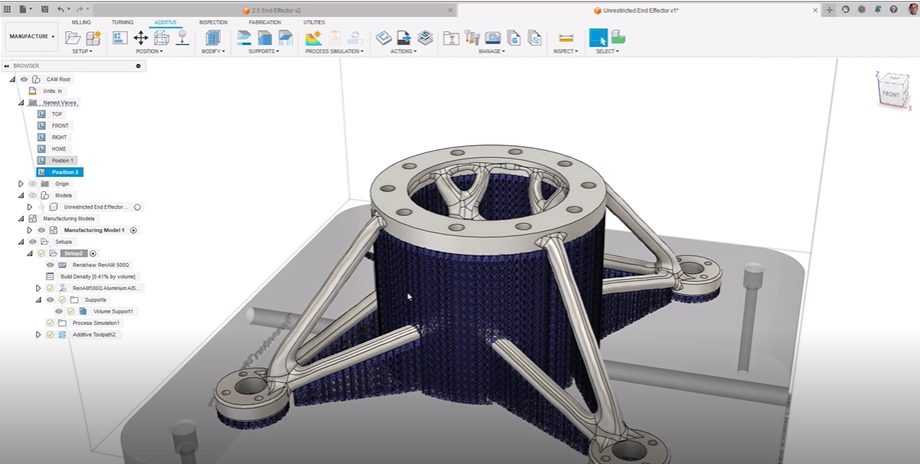
Autodesk Fusion 360 stands as one of the most comprehensive AI tools for mechanical engineering students in 2025. This cloud-based platform combines traditional CAD functionality with revolutionary AI-powered generative design capabilities that can automatically create optimized designs based on specified constraints and requirements.
The AI features in Fusion 360 include intelligent design suggestions, automated topology optimization, and machine learning-enhanced simulation tools. Students can input basic parameters like material properties, manufacturing constraints, and performance requirements, and the AI generates multiple design alternatives that meet these criteria while optimizing for weight, strength, and manufacturability.
For mechanical engineering students, Fusion 360’s AI capabilities are particularly valuable for complex projects involving stress analysis, thermal management, and multi-component assemblies. The platform’s AI can predict potential failure points, suggest design improvements, and even recommend optimal manufacturing processes based on the chosen materials and geometry.
The software supports multiple platforms including Windows, macOS, and web browsers, making it accessible from anywhere. Autodesk offers free educational licenses for students, which include access to most AI-powered features. The collaborative tools allow team projects to be managed efficiently, with AI-assisted version control and conflict resolution.
Fusion 360’s AI-powered simulation capabilities extend beyond basic finite element analysis to include advanced computational fluid dynamics, thermal analysis, and multi-physics simulations. This makes it an invaluable tool for students working on projects ranging from automotive components to aerospace structures, providing insights that would traditionally require expensive specialized software and extensive computational resources.
2. MATLAB with AI and Machine Learning Toolbox
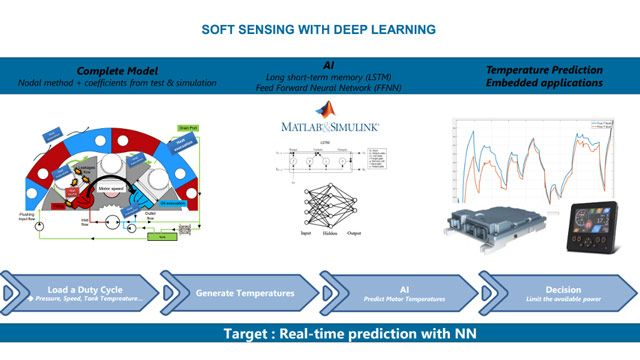
MATLAB continues to be a cornerstone tool for engineering students, but its 2025 version includes enhanced AI and machine learning capabilities that make it even more powerful for complex engineering problems. The platform’s AI toolbox provides pre-built algorithms for neural networks, deep learning, and predictive modeling that can be applied across all engineering disciplines.
The AI features in MATLAB include automated machine learning (AutoML) capabilities that can automatically select and optimize algorithms for specific engineering datasets. Students can use these tools for everything from signal processing and image recognition to control systems design and data analysis. The platform’s natural language processing capabilities also enable students to interact with their models using plain English commands.
For electrical engineering students, MATLAB’s AI tools are particularly useful for analyzing complex circuits, designing control systems, and processing sensor data. The platform can automatically generate code for embedded systems, optimize filter designs, and even predict system behavior under various operating conditions using machine learning models trained on historical data.
The software is available on Windows, macOS, and Linux platforms, with cloud-based access also available. Most universities provide MATLAB licenses to engineering students, and the educational version includes access to the AI and Machine Learning Toolbox. The platform’s extensive documentation and community support make it accessible to students at all levels.
MATLAB’s AI capabilities extend to real-time data processing and edge computing applications, making it relevant for students working on IoT projects, robotics, and autonomous systems. The platform’s ability to deploy AI models to hardware platforms like Raspberry Pi and Arduino makes it a bridge between theoretical learning and practical implementation.
3. Ansys Discovery with AI-Enhanced Simulation
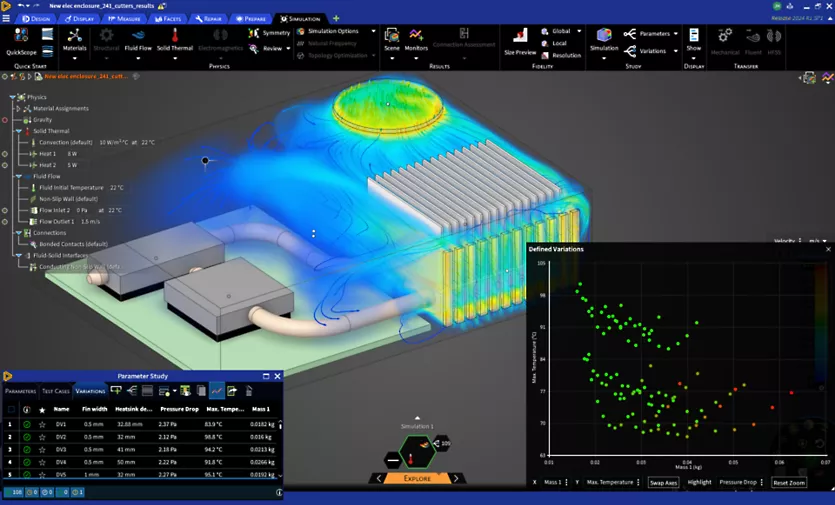
Ansys Discovery represents a breakthrough in AI-powered simulation software for engineering students. This platform uses artificial intelligence to simplify complex simulation processes, making advanced engineering analysis accessible to students who may not have extensive experience with traditional simulation tools.
The AI features in Ansys Discovery include intelligent meshing algorithms that automatically optimize mesh quality for different types of analyses, smart boundary condition suggestions based on the geometry and physics being studied, and AI-powered result interpretation that can identify potential issues and suggest design improvements.
For civil engineering students, Discovery’s AI capabilities are particularly valuable for structural analysis, fluid flow simulations, and thermal studies. The platform can automatically detect stress concentrations, predict failure modes, and suggest design modifications to improve performance. The AI can also estimate simulation runtime and computational requirements, helping students plan their projects more effectively.
The software supports Windows and Linux platforms, with cloud-based options available for computationally intensive simulations. Ansys offers academic licenses that provide access to the AI-enhanced features at reduced costs. The platform’s user-friendly interface makes it suitable for students who are new to simulation software.
Discovery’s AI capabilities extend to multi-physics simulations, allowing students to study complex interactions between structural, thermal, and fluid systems. This is particularly valuable for students working on projects involving heat exchangers, electronic cooling systems, or structural components subjected to thermal loads.
4. Siemens NX with AI-Powered Design Assistant
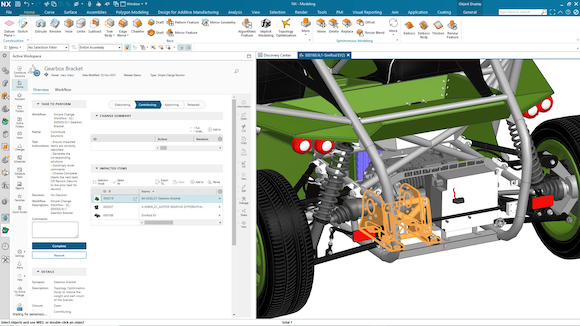
Siemens NX has integrated advanced AI capabilities in 2025, making it one of the most intelligent CAD platforms available to engineering students. The AI-powered design assistant can understand design intent, suggest improvements, and even automate routine design tasks, significantly accelerating the design process.
The AI features in NX include intelligent feature recognition that can automatically identify and classify geometric features, smart dimensioning that suggests optimal dimension schemes based on manufacturing requirements, and AI-powered design validation that can predict potential manufacturing issues before they occur.
For mechanical engineering students working on complex assemblies, NX’s AI capabilities are particularly valuable. The platform can automatically generate assembly sequences, predict interference issues, and suggest optimal component arrangements. The AI can also analyze design history and suggest reusable components or design patterns that could improve efficiency.
The software is available on Windows and Linux platforms, with educational licenses available at significant discounts. Siemens provides comprehensive training materials and support for academic users, making it accessible to students across different skill levels.
NX’s AI capabilities extend to additive manufacturing applications, where the platform can automatically optimize designs for 3D printing, suggest support structures, and predict print quality based on material properties and printer specifications. This makes it particularly relevant for students exploring modern manufacturing technologies.
5. SolidWorks with AI-Enhanced Features
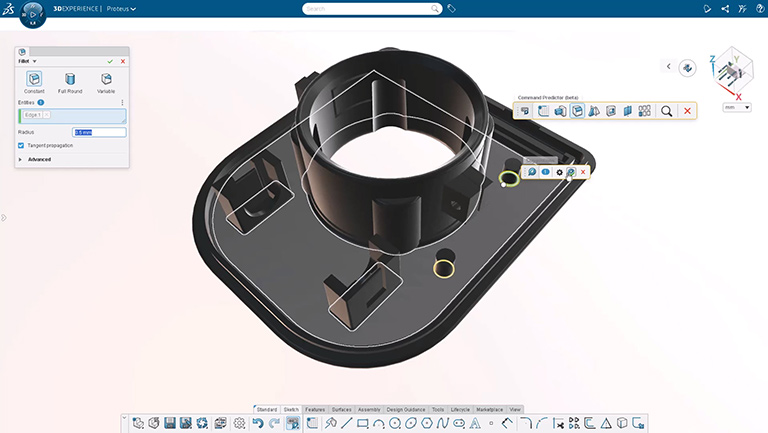
SolidWorks has evolved significantly in 2025, incorporating AI-enhanced features that make it one of the most user-friendly and intelligent CAD platforms for engineering students. The AI capabilities focus on improving design efficiency, reducing errors, and providing intelligent suggestions throughout the design process.
The AI features in SolidWorks include smart sketching tools that can predict design intent and automatically apply appropriate constraints, intelligent feature suggestions that recommend optimal modeling approaches based on the desired outcome, and AI-powered design validation that can identify potential issues before they become problems.
For students working on product design and development projects, SolidWorks’ AI capabilities are particularly valuable. The platform can automatically generate technical drawings, suggest optimal manufacturing processes, and even predict product performance based on material properties and loading conditions.
The software is available on Windows platforms, with cloud-based collaboration tools that work across different devices. Educational licenses are widely available and include access to most AI-enhanced features. The platform’s extensive library of tutorials and learning resources makes it accessible to students at all levels.
SolidWorks’ AI capabilities extend to sustainability analysis, where the platform can automatically calculate environmental impact metrics, suggest more sustainable material alternatives, and optimize designs for recyclability. This aligns with the growing emphasis on sustainable engineering practices in modern education.
6. Onshape with Cloud-Based AI Design Tools
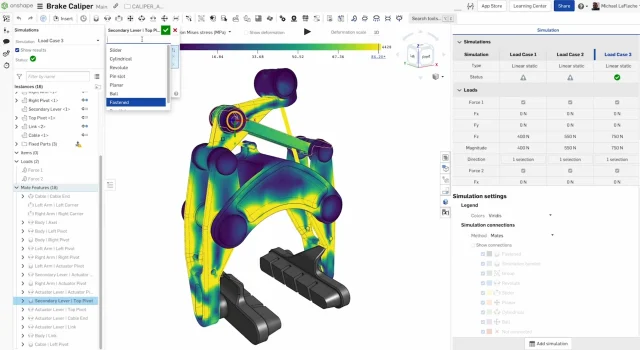
Onshape represents the future of AI-powered CAD with its fully cloud-based architecture and integrated artificial intelligence capabilities. The platform uses AI to enhance collaboration, automate routine tasks, and provide intelligent design suggestions that help engineering students work more efficiently.
The AI features in Onshape include intelligent version control that can automatically merge design changes from multiple collaborators, smart search capabilities that can find relevant components and features across projects, and AI-powered design optimization that can suggest improvements based on manufacturing constraints and performance requirements.
For engineering students working on team projects, Onshape’s AI capabilities are particularly valuable. The platform can automatically track design changes, suggest optimal collaboration workflows, and even predict potential conflicts before they occur. The AI can also analyze team productivity and suggest ways to improve project efficiency.
The software is entirely cloud-based, making it accessible from any device with an internet connection. Educational licenses are available at no cost and include access to most AI-powered features. The platform’s real-time collaboration capabilities make it ideal for distributed teams and remote learning environments.
Onshape’s AI capabilities extend to data management and project analytics, where the platform can automatically organize design data, track project progress, and generate reports on team performance. This makes it valuable for students who need to manage complex projects with multiple stakeholders.
7. Grammarly for Technical Writing and Documentation
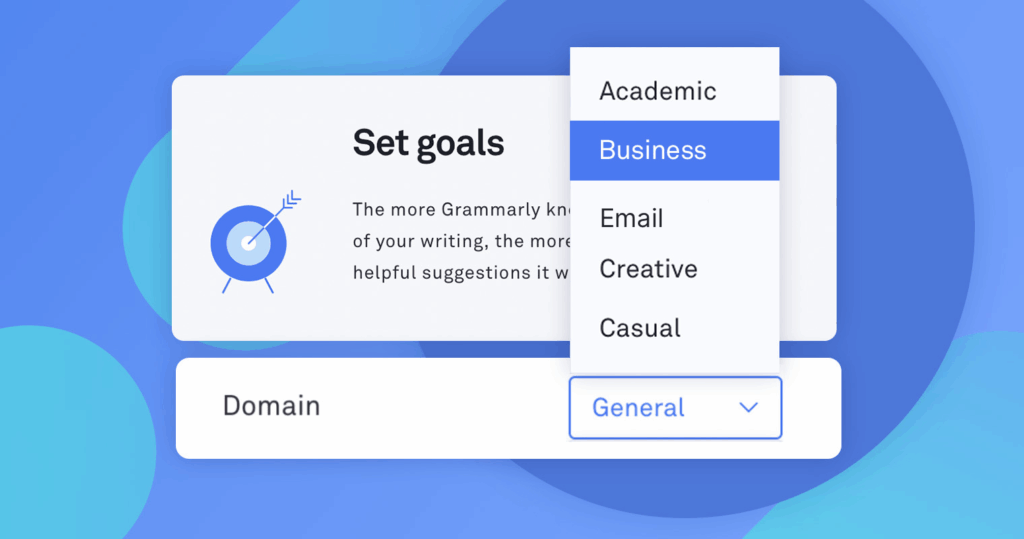
While not traditionally considered an engineering tool, Grammarly’s AI-powered writing assistance has become essential for engineering students who need to produce high-quality technical documentation, research papers, and project reports. The platform’s AI capabilities go beyond basic grammar checking to include style suggestions, clarity improvements, and technical terminology verification.
The AI features in Grammarly include advanced grammar and style checking algorithms that understand technical writing contexts, intelligent suggestions for improving clarity and conciseness, and AI-powered plagiarism detection that helps students maintain academic integrity. The platform can also adapt to different writing styles and provide context-specific suggestions.
For engineering students working on research projects, thesis writing, or technical documentation, Grammarly’s AI capabilities are particularly valuable. The platform can help improve the clarity of complex technical explanations, suggest better word choices for specific engineering contexts, and even help with proper citation formatting.
The software is available as a web application, desktop app, and browser extension, with mobile apps also available. Premium subscriptions provide access to advanced AI features, while the free version includes basic grammar checking capabilities. Many universities provide access to Grammarly Premium for their students.
Grammarly’s AI capabilities extend to tone analysis and audience adaptation, helping students tailor their writing for different audiences, from technical peers to non-technical stakeholders. This is particularly valuable for students who need to communicate complex engineering concepts to diverse audiences.
8. Notion AI for Project Management and Documentation
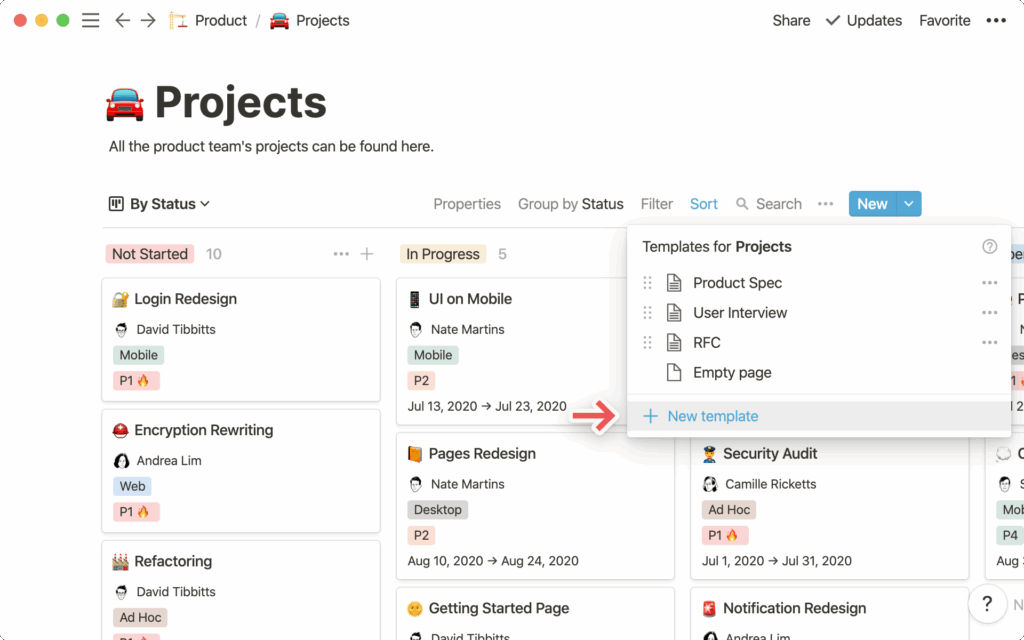
Notion AI has emerged as a powerful tool for engineering students who need to manage complex projects, organize research, and maintain comprehensive documentation. The platform’s AI capabilities can help automate routine tasks, generate content, and provide intelligent insights into project progress and team performance.
The AI features in Notion include automated content generation that can create project templates, meeting notes, and progress reports, intelligent data organization that can automatically categorize and tag information, and AI-powered search capabilities that can find relevant information across large databases of project documentation.
For engineering students working on capstone projects or research initiatives, Notion AI’s capabilities are particularly valuable. The platform can help organize complex technical information, generate project timelines, and even suggest optimal task distributions based on team member skills and availability.
The software is available as a web application with desktop and mobile apps for all major platforms. Educational discounts are available, and the free tier includes access to basic AI features. The platform’s collaborative capabilities make it ideal for team projects and group assignments.
Notion AI’s capabilities extend to automated report generation and data visualization, where the platform can automatically create progress reports, generate charts and graphs from project data, and provide insights into project performance and potential bottlenecks.
9. GitHub Copilot for Software Engineering
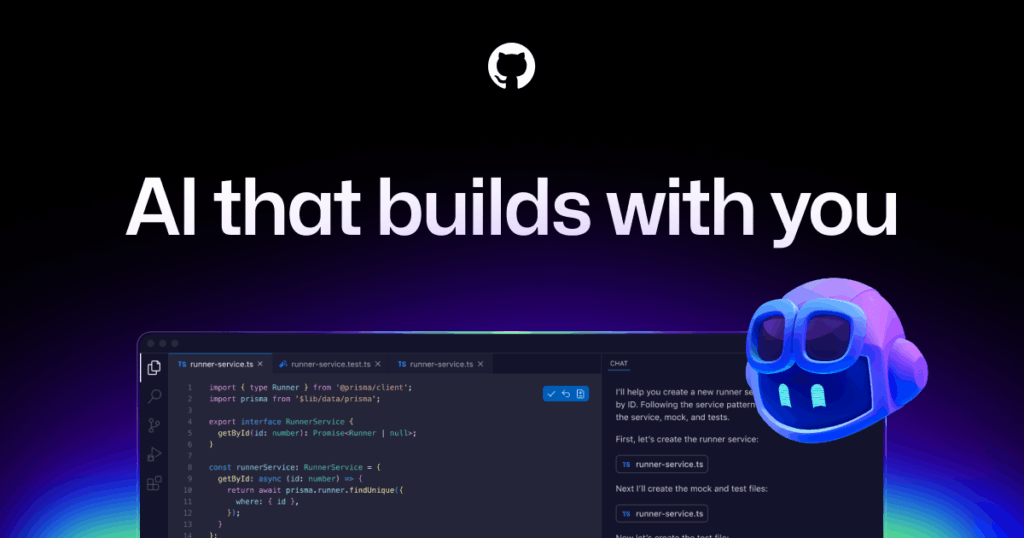
GitHub Copilot has revolutionized software development for engineering students by providing AI-powered code suggestions and automated programming assistance. The platform uses advanced machine learning models trained on millions of code repositories to provide intelligent code completion, bug detection, and optimization suggestions.
The AI features in GitHub Copilot include intelligent code completion that can predict entire functions based on comments or partial code, automated bug detection that can identify potential issues before they cause problems, and AI-powered code optimization that can suggest more efficient implementations.
For software engineering students and those working on embedded systems or automation projects, GitHub Copilot’s capabilities are particularly valuable. The platform can help students learn new programming languages, understand complex algorithms, and implement best practices in their code.
The software is available as an extension for popular code editors including Visual Studio Code, IntelliJ IDEA, and others. Student accounts are available at discounted rates, and the platform supports multiple programming languages relevant to engineering applications.
GitHub Copilot’s capabilities extend to documentation generation and code explanation, where the platform can automatically generate comments, create README files, and explain complex code sections in plain language. This is particularly valuable for students who need to document their projects thoroughly.
10. Wolfram Alpha Pro for Engineering Calculations
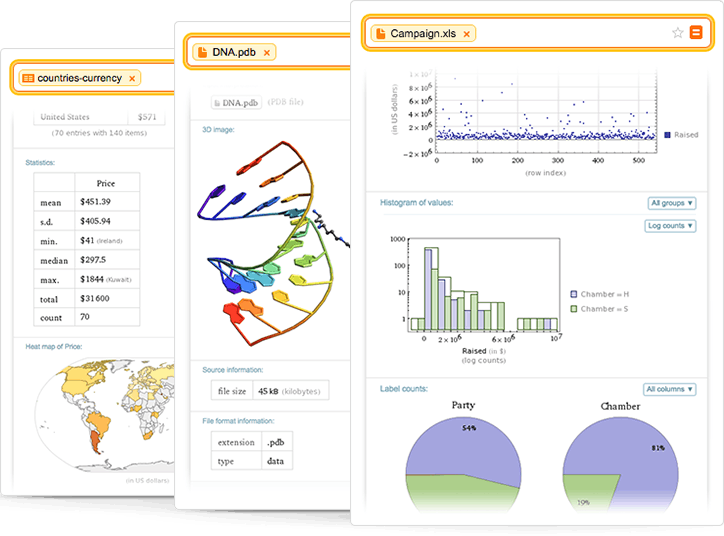
Wolfram Alpha Pro represents the pinnacle of AI-powered computational intelligence for engineering students. The platform can solve complex mathematical problems, perform engineering calculations, and provide step-by-step solutions that help students understand the underlying principles behind their calculations.
The AI features in Wolfram Alpha Pro include natural language processing that allows students to input problems in plain English, intelligent problem solving that can handle complex multi-step calculations, and AI-powered visualization that can generate graphs, diagrams, and interactive models to illustrate solutions.
For engineering students across all disciplines, Wolfram Alpha Pro’s capabilities are invaluable for everything from basic calculations to complex system analysis. The platform can solve differential equations, perform matrix operations, analyze circuits, and even provide materials property data for engineering applications.
The software is available as a web application with mobile apps for iOS and Android. Student subscriptions are available at reduced rates and provide access to advanced computational capabilities and detailed step-by-step solutions.
Wolfram Alpha Pro’s capabilities extend to data analysis and visualization, where the platform can process experimental data, generate statistical analyses, and create publication-quality graphics. This makes it valuable for students working on research projects or laboratory assignments.
Comparison Table: AI Tools for Engineering Students
| Tool Name | AI Features | Best For | Free/Paid | Platforms | Key Benefits |
| Autodesk Fusion 360 | Generative design, topology optimization, smart simulation | Mechanical engineering, product design | Free for students | Windows, macOS, Web | AI-powered design generation, cloud collaboration |
| MATLAB | Machine learning toolbox, AutoML, natural language processing | All engineering disciplines, data analysis | Paid (educational discounts) | Windows, macOS, Linux | Comprehensive AI algorithms, hardware deployment |
| Ansys Discovery | Intelligent meshing, smart boundary conditions, result interpretation | Civil, mechanical, thermal analysis | Paid (academic licenses) | Windows, Linux | Simplified complex simulations, real-time results |
| Siemens NX | AI design assistant, feature recognition, manufacturing optimization | Mechanical engineering, complex assemblies | Paid (educational discounts) | Windows, Linux | Advanced CAD with AI guidance, manufacturing integration |
| SolidWorks | Smart sketching, intelligent features, design validation | Product design, mechanical engineering | Paid (educational licenses) | Windows | User-friendly AI assistance, sustainability analysis |
| Onshape | Cloud-based AI, intelligent collaboration, design optimization | Team projects, distributed design | Free for students | Web-based, all devices | Real-time collaboration, cloud accessibility |
| Grammarly | Technical writing assistance, style optimization, plagiarism detection | Technical documentation, research papers | Free/Premium | Web, desktop, mobile | Improved technical communication, academic integrity |
| Notion AI | Content generation, project organization, automated reporting | Project management, documentation | Free/Paid | Web, desktop, mobile | Streamlined project workflows, team collaboration |
| GitHub Copilot | Code completion, bug detection, optimization suggestions | Software engineering, embedded systems | Paid (student discounts) | Code editors, IDEs | Accelerated coding, learning assistance |
| Wolfram Alpha Pro | Natural language processing, computational intelligence, visualization | Mathematical calculations, problem solving | Paid (student rates) | Web, mobile apps | Complex problem solving, step-by-step solutions |
Frequently Asked Questions
1. What are the best AI tools for engineering students in 2025?
The best AI tools for engineering students in 2025 include Autodesk Fusion 360 for mechanical design, MATLAB for data analysis and machine learning, Ansys Discovery for simulation, and specialized tools like GitHub Copilot for software development and Wolfram Alpha Pro for computational problems. The choice depends on your specific engineering discipline and project requirements.
2. Are there AI tools for CAD and mechanical design?
Yes, several AI-powered CAD tools are available for mechanical design, including Autodesk Fusion 360 with generative design capabilities, Siemens NX with AI-powered design assistance, SolidWorks with intelligent features, and Onshape with cloud-based AI tools. These platforms use artificial intelligence to automate design tasks, optimize geometries, and provide intelligent suggestions throughout the design process.
3. Can AI help with engineering simulations and calculations?
Absolutely. AI tools like Ansys Discovery provide intelligent simulation capabilities that can automatically optimize mesh quality, suggest boundary conditions, and interpret results. MATLAB offers AI-powered analysis tools for complex calculations, while Wolfram Alpha Pro can solve advanced mathematical problems using natural language processing. These tools make complex engineering calculations more accessible and efficient.
4. Are AI tools replacing traditional engineering software?
AI tools are not replacing traditional engineering software but rather enhancing them with intelligent capabilities. Modern engineering platforms integrate AI features to improve efficiency, reduce errors, and provide better insights. Traditional engineering principles and methodologies remain essential, but AI tools help students apply these principles more effectively and explore solutions that might not be apparent through conventional approaches.
5. Do any of these tools offer free student versions?
Yes, many AI tools offer free or discounted versions for students. Autodesk Fusion 360 provides free educational licenses, Onshape offers free student accounts, Grammarly has a free tier with basic features, and Notion AI includes free access to basic AI capabilities. Most other tools offer significant educational discounts, and many universities provide licenses for popular platforms like MATLAB and SolidWorks.
6. How can AI improve productivity for engineering students?
AI tools improve productivity by automating routine tasks, providing intelligent suggestions, and accelerating problem-solving processes. They can generate multiple design alternatives quickly, perform complex calculations instantly, assist with technical writing, and help manage project documentation. AI tools also provide learning assistance by explaining concepts, suggesting best practices, and helping students understand complex engineering principles through interactive visualizations and step-by-step solutions.
7. What should students consider when choosing AI tools for engineering?
Students should consider their specific engineering discipline, project requirements, budget constraints, and learning objectives when choosing AI tools. It’s important to evaluate whether the tool integrates well with existing workflows, provides adequate educational resources, and offers the level of AI assistance needed for their projects. Students should also consider the tool’s compatibility with their devices and the availability of student licensing options.
8. Are there AI tools specifically designed for different engineering disciplines?
Yes, different AI tools are optimized for specific engineering disciplines. Mechanical engineering students benefit from AI-powered CAD tools like Fusion 360 and SolidWorks, electrical engineering students can use MATLAB’s AI capabilities for circuit analysis and control systems, civil engineering students can leverage Ansys Discovery for structural analysis, and software engineering students can use GitHub Copilot for code development. Many tools are versatile enough to support multiple disciplines.
Conclusion
The integration of artificial intelligence into engineering education represents a fundamental shift in how students learn, design, and solve complex problems. The AI tools highlighted in this comprehensive guide demonstrate the vast potential for enhancing engineering education through intelligent automation, predictive analysis, and personalized learning experiences.
These AI-powered platforms are not just technological novelties – they are practical tools that can significantly improve learning outcomes, increase productivity, and prepare students for the AI-driven engineering workplace of the future. From generative design capabilities that can create optimized solutions to intelligent tutoring systems that provide personalized feedback, these tools are democratizing access to advanced engineering capabilities.
The key to successfully leveraging these AI tools lies in understanding their strengths and limitations, selecting the right combination of tools for specific projects and learning objectives, and maintaining a balance between AI assistance and fundamental engineering knowledge. Students who learn to effectively integrate these tools into their workflows will be better prepared for careers in an increasingly automated and intelligent engineering landscape.
As artificial intelligence continues to evolve, we can expect even more sophisticated tools and capabilities to emerge. The tools discussed in this guide represent the current state of the art, but the rapid pace of AI development suggests that even more powerful and intuitive solutions will be available in the near future.
For engineering students in 2025, the question is not whether to use AI tools, but rather how to use them most effectively to enhance learning, improve project outcomes, and develop the skills needed for successful engineering careers. By embracing these technologies while maintaining strong foundational knowledge, students can position themselves at the forefront of the AI-powered engineering revolution.
The future of engineering education is intelligent, collaborative, and more accessible than ever before. These AI tools are not just changing how we approach engineering problems – they are expanding the boundaries of what is possible and helping a new generation of engineers tackle the complex challenges of tomorrow with unprecedented capability and creativity.